Best Free AI Image Generators in 2026: 6 Tools Tested on Free Accounts
Most "best free AI image generator" lists copy each other's marketing claims. We did something simpler and more honest: we typed the exact same prompt — "a red fox" — into six popular tools on free accounts, one after another, and recorded what actually happened. The free limits, the image sizes, the watermarks, the paywalls, and one surprise that almost nobody mentions: three of these tools publish your creations for other users to see.
Short answer: you can generate genuinely good images for free on all six tools we tested — Canva, Craiyon, Ideogram, Leonardo.Ai, Adobe Firefly, and NightCafe. But "free" means very different things on each one. Ideogram gave us the largest image (2496×1664 pixels). NightCafe hands new users 20 free generations that expire in 14 days. Adobe Firefly counts free generations per day. And Craiyon — the only tool that needs no account at all — stamps a crayon logo on every free download and says your images are public.
The comparison table (everything below comes from our own screens)
| Tool | Free tier — what we saw | Image size we got | Watermark on free download? | Your images public? |
|---|---|---|---|---|
| Canva AI | Worked immediately with a Google login; no credit counter was visible during our test | 1264×1264 | No | No notice shown |
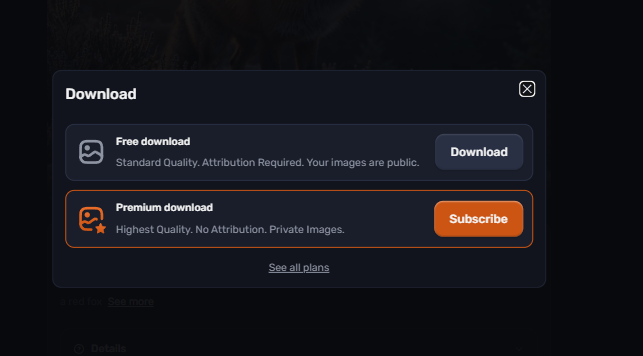
| Craiyon | No account needed at all; free download = standard quality + attribution required | 1792×1344 | Yes — crayon logo | Yes — stated in the download dialog |
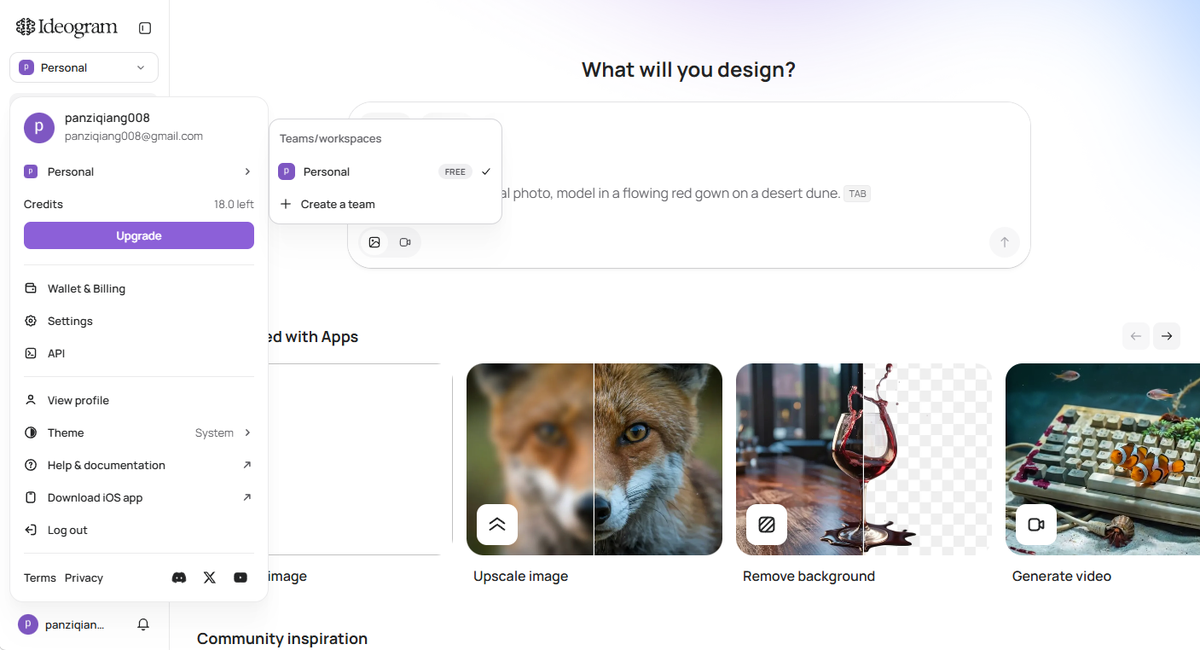
| Ideogram | Paid plans pushed right after signup; one generation cost ~12 credits, panel then showed 18.0 left | 2496×1664 (largest) | No | No notice shown |
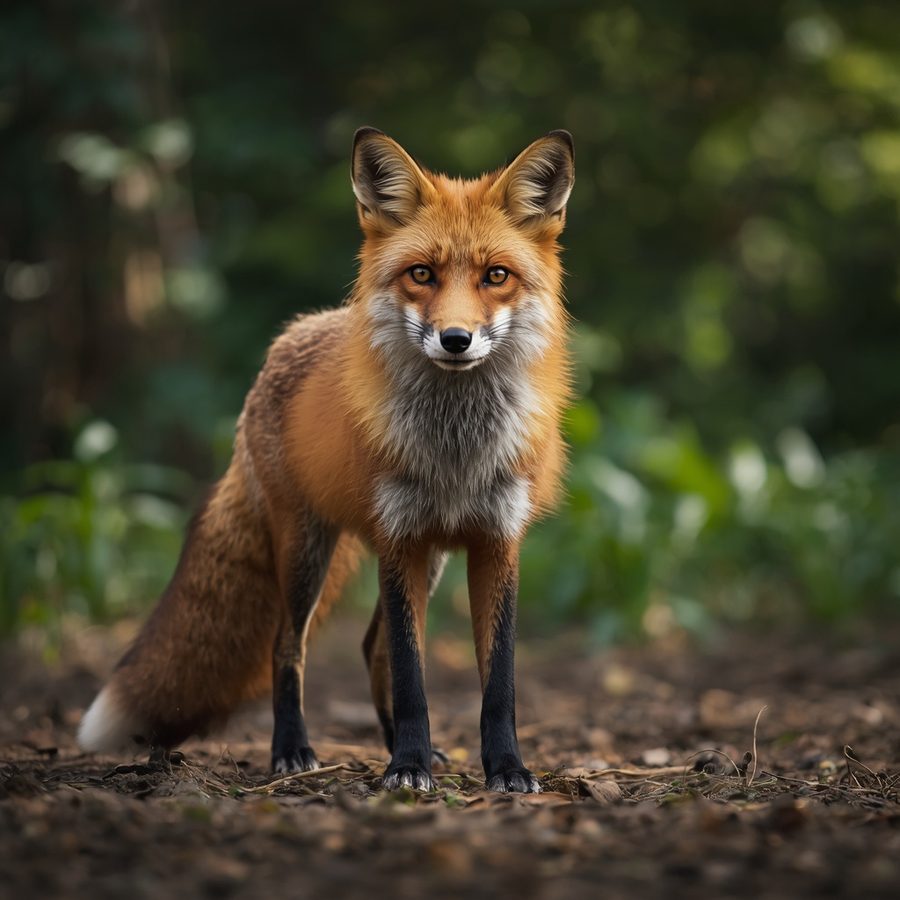
| Leonardo.Ai | One generation cost 8 tokens (142 → 134); Private Mode locked on free | 1024×1024 | No | Yes — Private Mode is a paid lock |
| Adobe Firefly | Counter showed "2 generations left today" — a daily free allowance | 1408×768 | No | No notice shown |
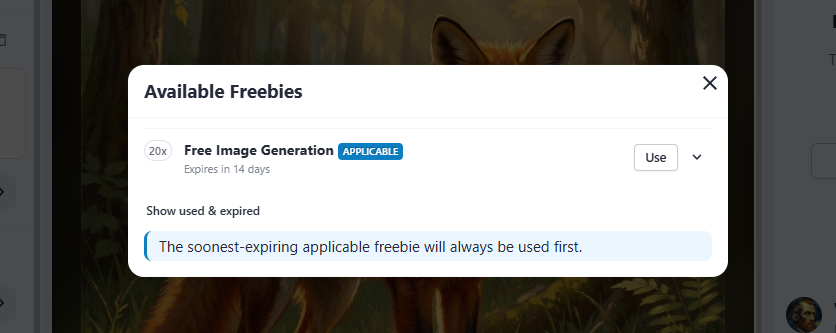
| NightCafe | "20× Free Image Generation, expires in 14 days"; panel also showed 5 credits remaining | 1024×1024 | No | Yes — "visible to other users in the newbie feed" |
How we tested (so you can trust the numbers)
Four rules, no exceptions:
- Same prompt everywhere: "a red fox" — five characters, typed identically into all six tools. That way the only thing changing between screenshots is the tool, not the request.
- Free accounts only: we never clicked Subscribe, Upgrade, or any free-trial button. Where a tool pushed a paid plan, we photographed the price screen and walked away.
- Only what we saw: every number in this article is a number displayed on our screen. Where we couldn't verify something (like Canva's free limit, which never showed a counter), we say so instead of guessing.
- One test day: all six tools were tested the same day, so the free tiers described here were all live at the same time.
1. Canva AI — the easiest start, the least information
Canva's AI image generator (Magic Media) sits right inside Canva's regular editor. We logged in with a Google account, typed our prompt, and got a result in seconds — no upsell wall, no credit counter, no fuss.
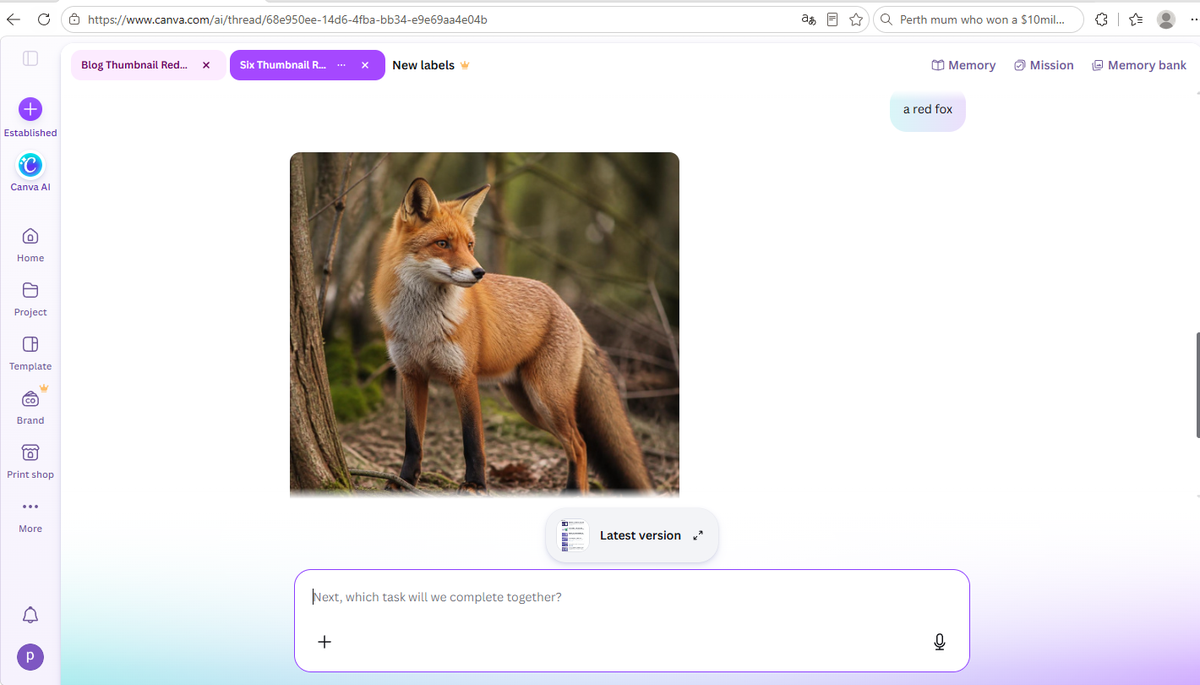
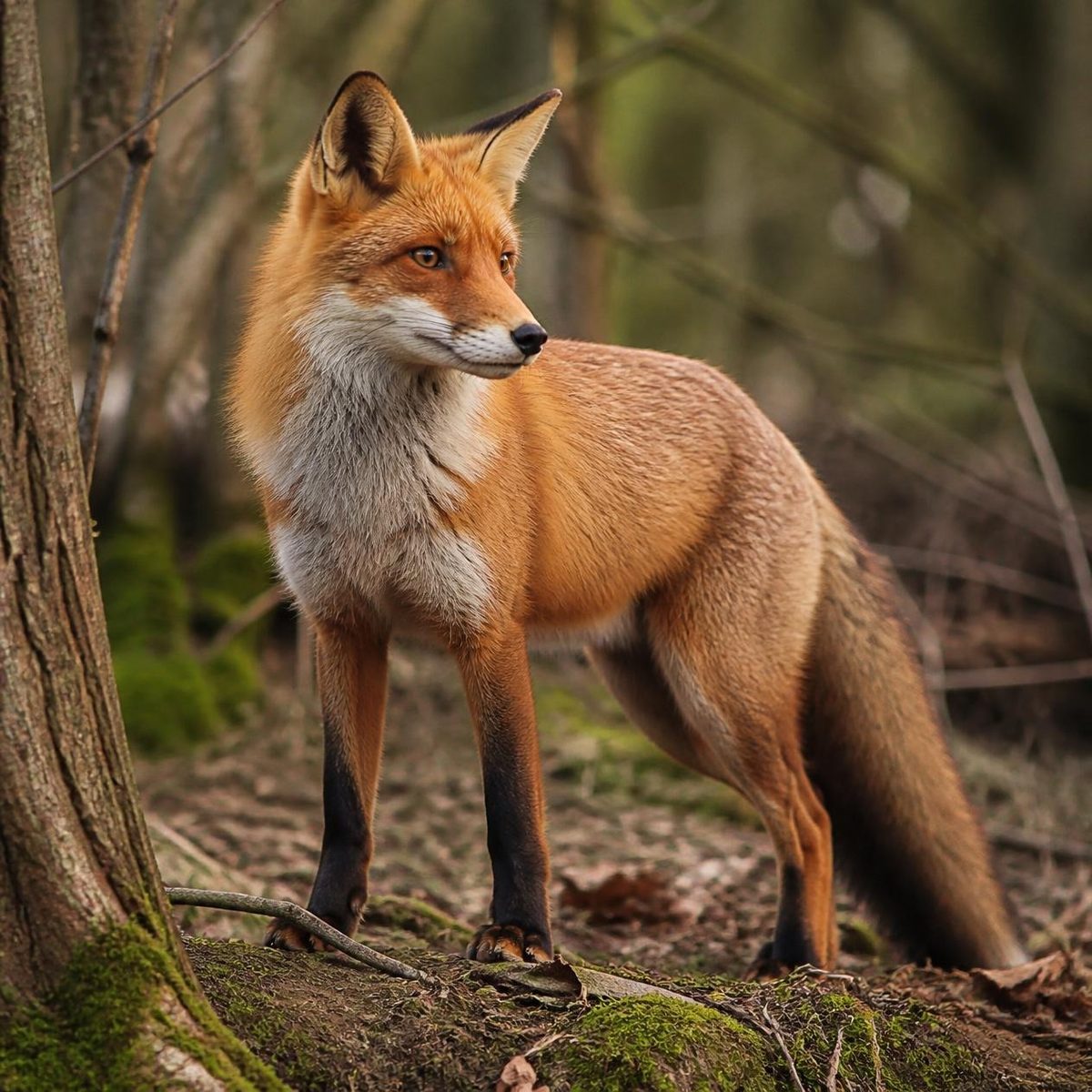
The honest catch: during our test, Canva never displayed how many free generations we had left. That's friendly in the moment, but it also means you can't plan around a limit you can't see. (For a full breakdown of what else Canva free does and doesn't include, see our Canva Free vs Pro test.)
2. Craiyon — no account needed, but read the fine print
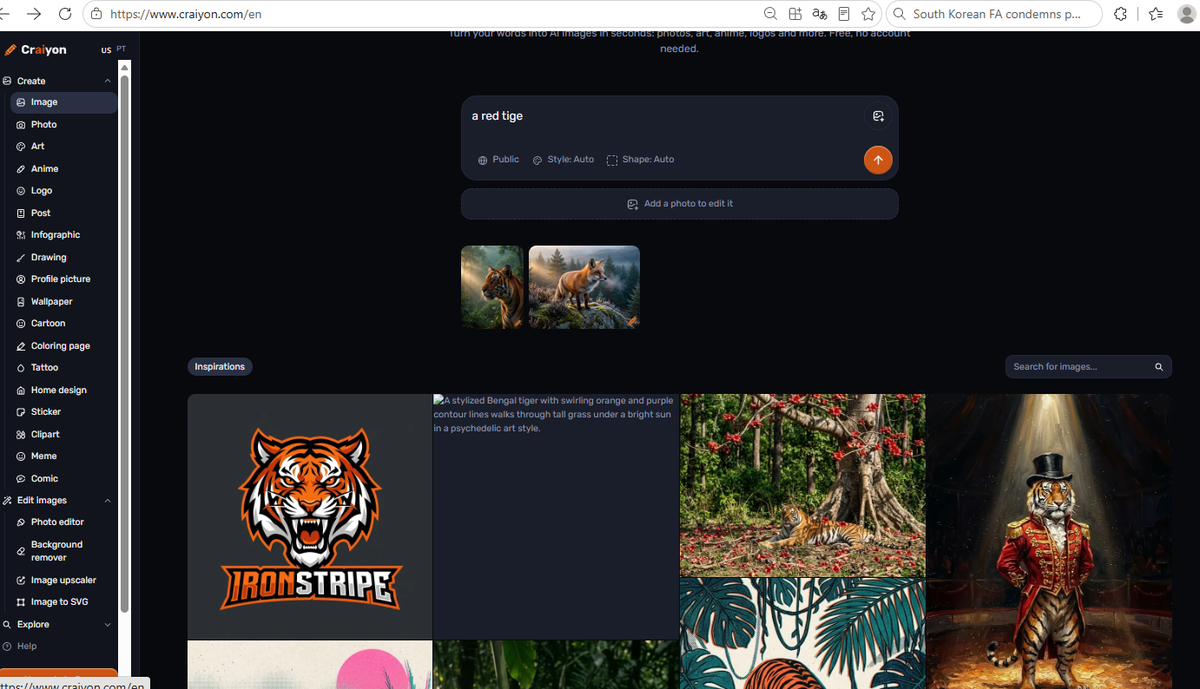
Craiyon is the only tool on this list that works with zero signup — open the page and type. It even says so on the page: "Free. No account needed." After passing a quick human-verification check, our fox appeared in about 30–60 seconds.
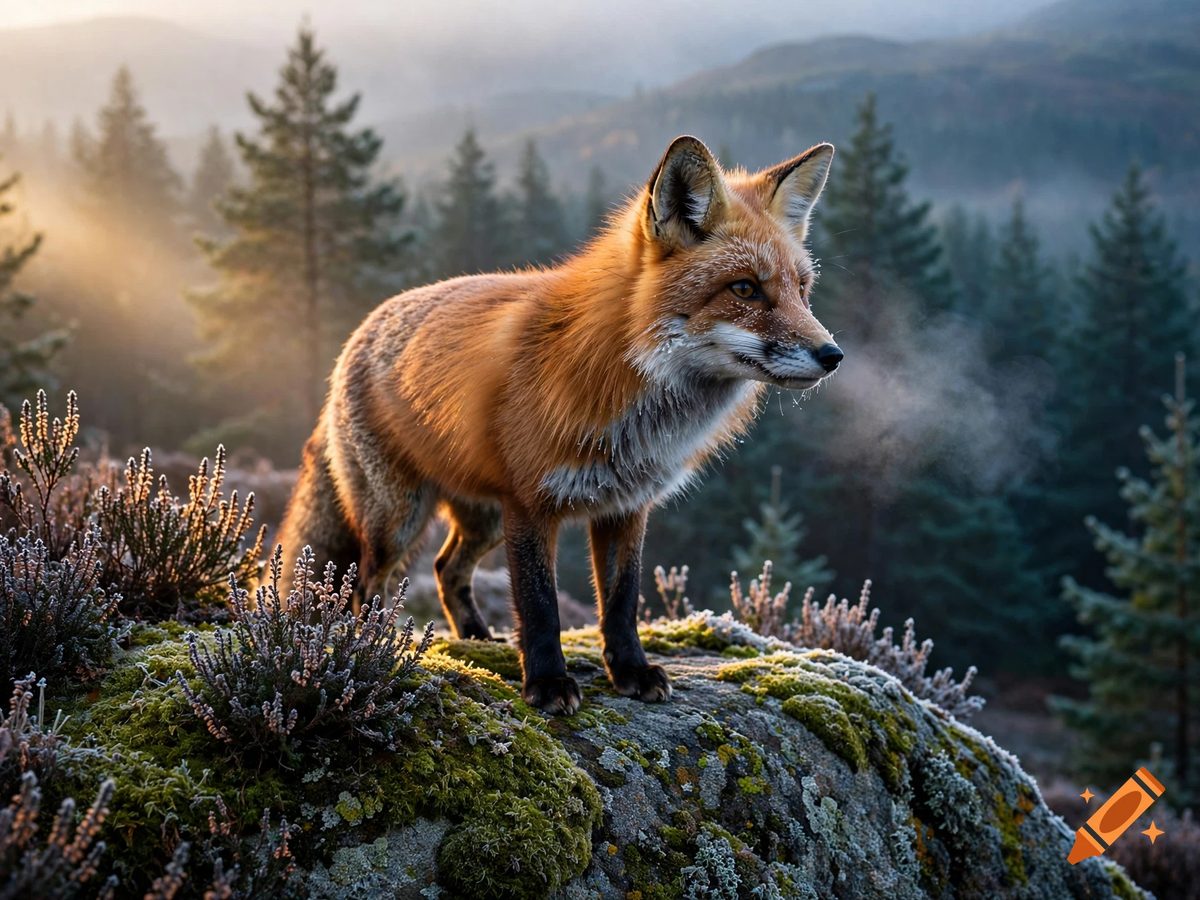
The details are in the download dialog, and Craiyon deserves credit for being blunt about them:
Watch out for the "Inspirations" trap. Below your result, Craiyon shows a grid of polished example images that changes with whatever you type. Those are not your generations — they're showcase images meant to sell the Pro plan, and their quality is far above what the free tool actually produces. Your real result is the small image directly under the search box. Plenty of people overestimate Craiyon because of this showcase; don't be one of them.
3. Ideogram — the biggest free image, the shortest free runway
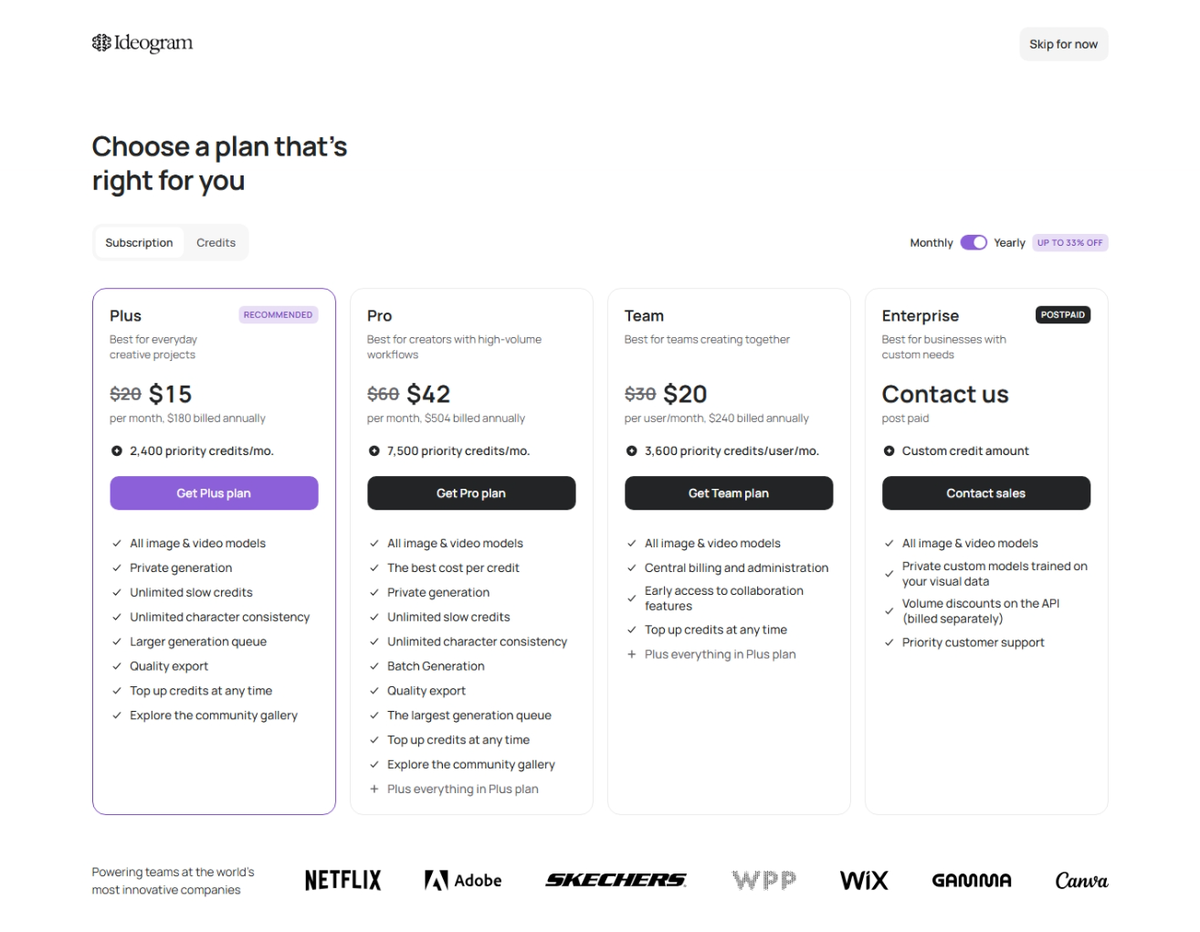
Ideogram wasted no time: the moment we finished signing up with a Google account, we were shown the paid plans — Plus at $15/month, Pro at $42/month, Team at $20 per person/month. We clicked "Skip for now" and continued on the free tier.
The free tier then gave us the largest image of the whole test: our fox came out at 2496×1664 pixels — nearly four times the pixel count of Leonardo's or NightCafe's 1024×1024 output — in sharp photographic quality, four variations per generation.
4. Leonardo.Ai — good quality, but free means public
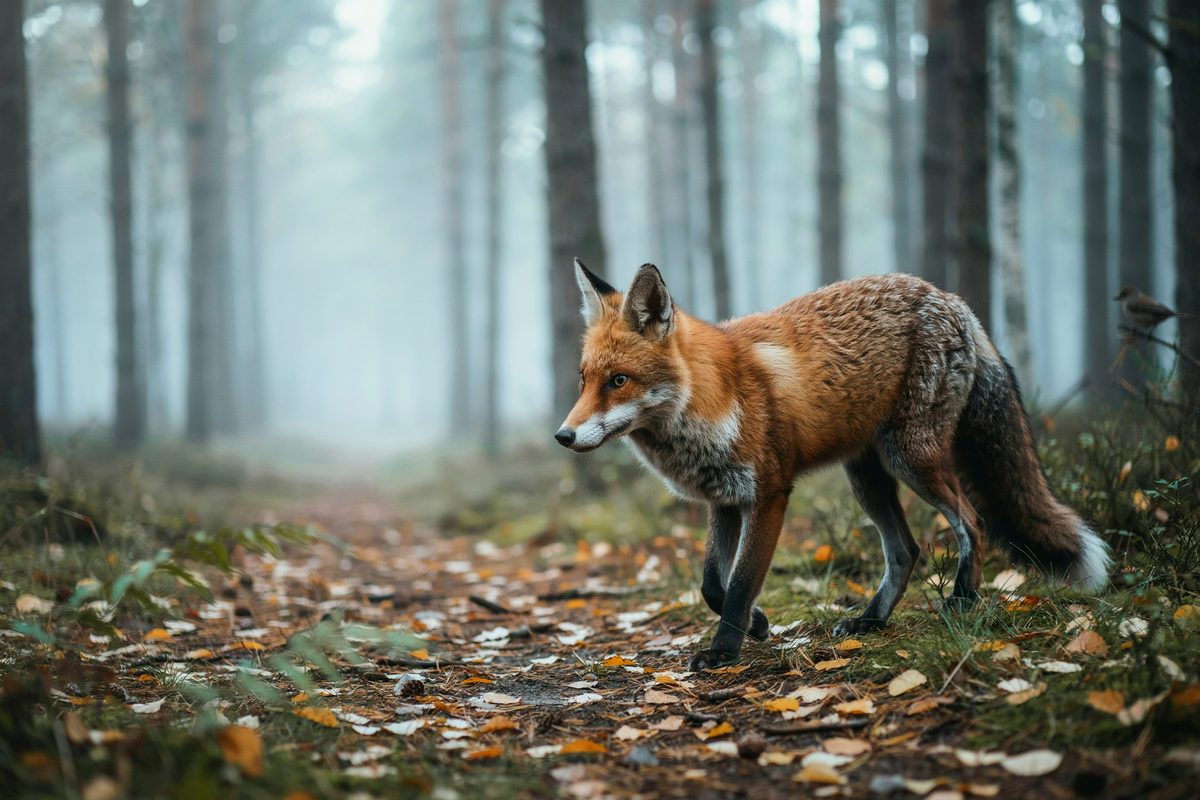
Leonardo.Ai logged in with Google on the first try and produced a crisp, photorealistic fox at 1024×1024 — the same size as NightCafe's, but with a more photographic look.
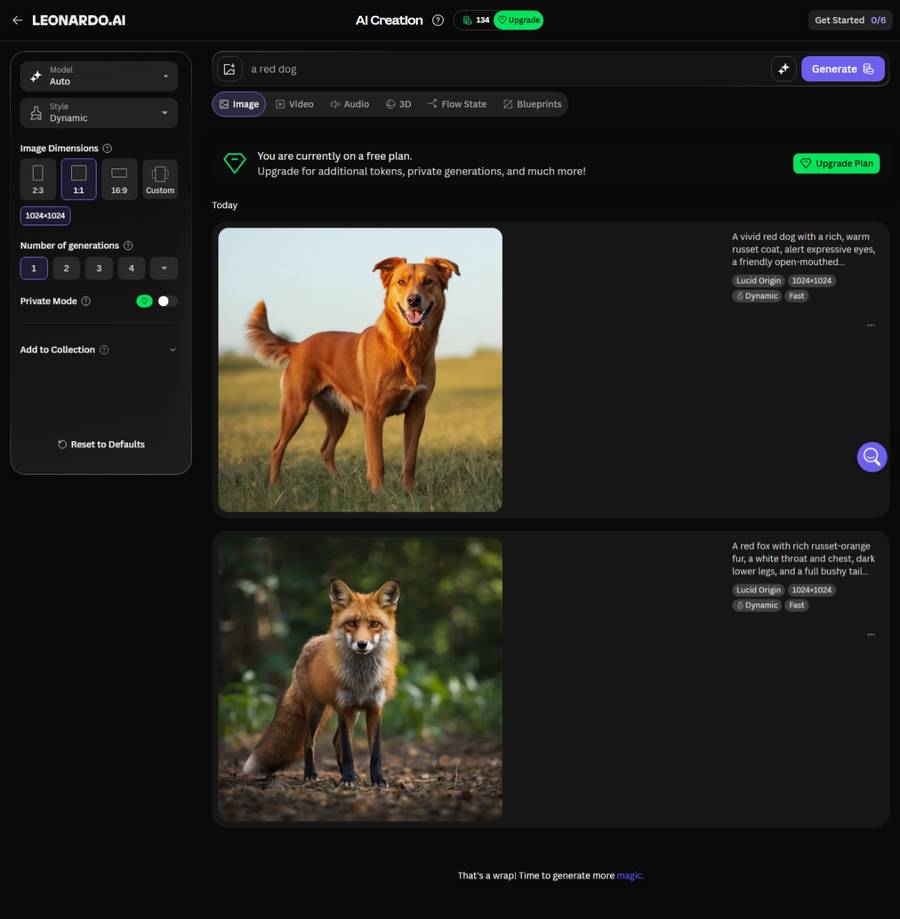
Here's the detail most reviews skip: Leonardo's Private Mode is locked on the free plan. Your generations are visible to other users by default, and the privacy toggle is part of the paid pitch. If you're generating anything you wouldn't want a stranger to scroll past, that matters.
5. Adobe Firefly — a daily free allowance (and a surprise under the hood)
Firefly is Adobe's answer to the AI image boom, and its free tier works differently from everyone else's: instead of a monthly bundle, it counts generations per day. Our screen showed "2 generations left today" right next to the Generate button.
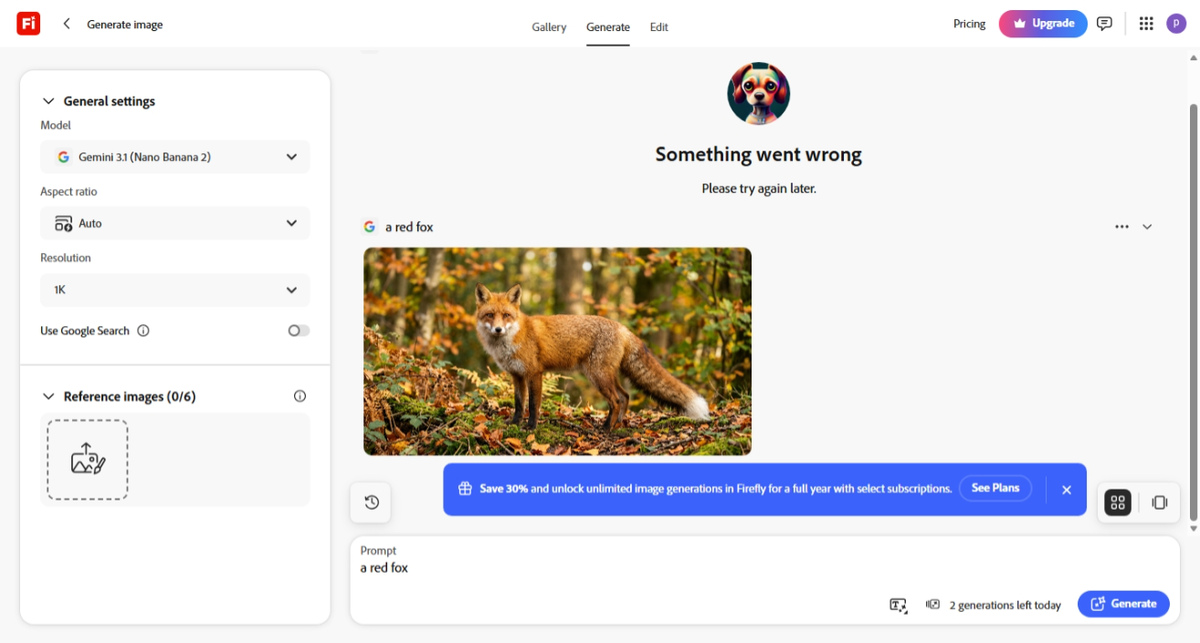
The surprise: look at the model selector on our screenshot — Firefly's default model was listed as "Gemini 3.1 (Nano Banana 2)", which is Google technology. Adobe's own interface now ships with a Google model as the default option. Whatever your feelings about AI industry rivalries, that's an interesting thing to see with your own eyes.
One practical note from our test: the first Generate attempt failed with a generic "Something went wrong" error. Clicking Generate a second time worked immediately. If Firefly stalls on you, retry once before giving up.
6. NightCafe — the clearest free offer in writing
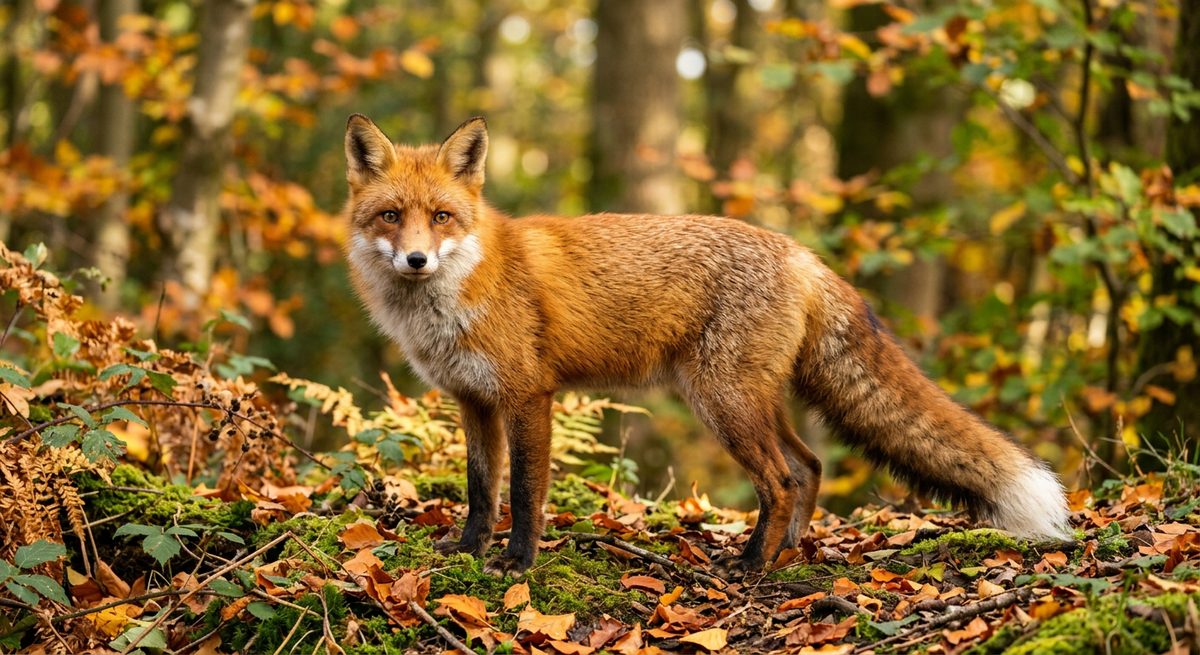
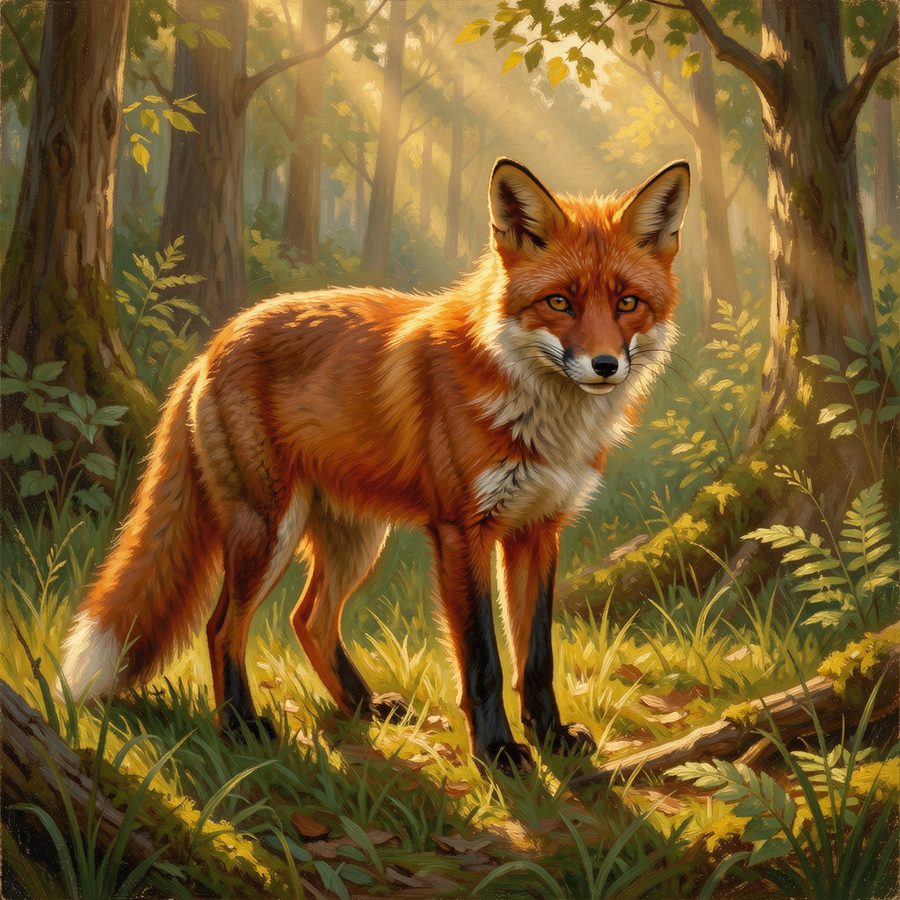
NightCafe, at creator.nightcafe.studio, logged in with Google on the first try and produced our fox in a distinctly painterly, illustration style — a nice change of pace from the five photorealistic results.
NightCafe also wins the prize for the clearest free-tier terms. Its "Available Freebies" dialog states the offer in plain text: 20 free image generations, applicable now, expiring in 14 days — and the soonest-expiring freebie gets used first.
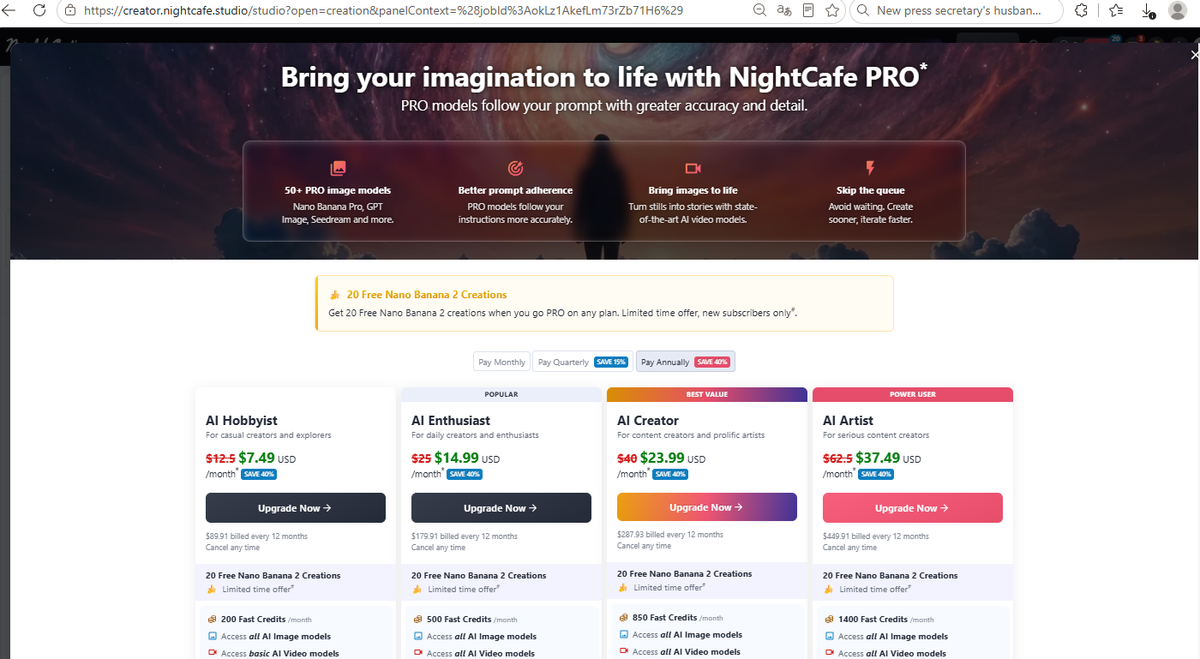
And the same privacy catch as Leonardo: our generation page said it outright — "This creation will be visible to other users in the newbie feed." Free creations are public on NightCafe, too.
Three things we learned that most lists won't tell you
1. On three of the six tools, free users create in public
Craiyon's download dialog says "Your images are public." Leonardo locks Private Mode behind a paywall. NightCafe warns that your creation "will be visible to other users in the newbie feed." That's three out of six tools publishing your free generations by default — a detail that almost never appears in "best free AI image generator" roundups, and one we only found by actually reading the screens. Rule of thumb: assume free = public until you see a privacy toggle that actually works.
2. Only one tool watermarks free downloads
Despite what many articles claim, Craiyon was the only tool in our test that stamped a watermark (its crayon logo) on the free download — and its own dialog explains why: free downloads require attribution. The other five handed us clean files. Ironically, Craiyon's actual output quality pleasantly surprised us; the "Craiyon looks terrible" reputation mostly comes from people judging it by its tiny on-screen preview or confusing the Inspirations showcase for real results.
3. "Free" comes in three different shapes
- Daily allowance: Firefly resets every day ("2 generations left today") — best if you generate a little every day.
- One-time bundle with expiry: NightCafe's 20 freebies expire after 14 days; Leonardo's ~150 tokens are simply spent down (8 per generation).
- Vague or invisible: Canva never showed us a counter, and Ideogram's free balance (about 2–3 generations' worth) burns out almost immediately.
Match the shape to your habit: a daily dabbler should pick Firefly; someone batching 20 images this week should pick NightCafe; anyone needing the largest, sharpest single image should spend Ideogram's short runway wisely.
Which free AI image generator should you use?
- Already use Canva for social posts? Stay there. Canva AI is the smoothest experience, and the images drop straight into your designs. (See what else Canva Free includes.)
- Want the biggest, sharpest image? Ideogram — 2496×1664 pixels — but budget your 2–3 free generations carefully.
- Want to try AI images with zero commitment? Craiyon: no account, no email. Accept the watermark or don't — at least it tells you up front.
- Want a painted, artistic style? NightCafe, with the most clearly written free offer (20 generations / 14 days).
- Generate a bit every day? Adobe Firefly's daily allowance rewards the steady habit.
- Want the most free generations overall? Leonardo.Ai — roughly 18 generations from a fresh account's ~150 tokens.
And when a free allowance runs dry and you decide a tool earns a place in your workflow, the paid tier is where stock libraries come back into the picture. Freepik's AI image suite (sponsored link) bundles an AI image generator with Freepik's massive stock library, and readers of this site get 20% off a Premium or Premium+ subscription through that link. We haven't tested Freepik's free tier yet — this is the one recommendation in this article based on the offer, not our own screens — so treat it as a pointer, not a verdict.
FAQ
What is the best truly free AI image generator in 2026?
All six tools in our test produced usable images without payment. If "best" means the least friction, Craiyon needs no account at all. If it means the best free value, NightCafe's 20 written-out free generations and Leonardo's ~150 tokens go furthest. If it means the highest resolution for free, Ideogram's 2496×1664 output won our test by a wide margin.
Do free AI image generators add watermarks?
In our test, only Craiyon did — its free downloads carry a crayon logo because free downloads require attribution. Canva, Ideogram, Leonardo, Firefly, and NightCafe all gave us clean files with no watermark.
Are images made with free AI generators public?
On three of the six tools we tested, yes by default: Craiyon states "your images are public," Leonardo's Private Mode is a paid feature, and NightCafe shows free creations in its public newbie feed. The other three didn't show us any public/private notice during the test. If privacy matters to you, look for a working privacy toggle before you generate.
How many free images can I make?
From what we saw on our screens: NightCafe gives 20 free generations (expiring in 14 days), Leonardo's fresh-account ~150 tokens cover roughly 18 generations at 8 tokens each, Firefly allows a couple of generations per day on the free tier, Ideogram's free credits covered only about 2–3 generations, and Craiyon works without an account (with quality and attribution limits on downloads). Canva didn't show a counter during our test — we can't quote a number we never saw.
Can I use free AI-generated images commercially?
That depends on each tool's own terms, and reading every tool's full license wasn't part of our test — so we won't pretend to summarize them. What we can say from our screens: Craiyon's free downloads explicitly require attribution, which is already a complication for commercial use. Before using any generated image in a product, read that tool's current terms yourself — they change often.