DeepThink Mode in DeepSeek: On vs Off, Tested on the Same Questions
Everyone says "turn on DeepThink for hard questions." But what does it actually change? So we ran the same three questions twice — once with DeepThink on, once with it off — timed every answer, and screenshotted the whole process. The results were not what we expected.
Short answer: DeepThink makes DeepSeek pause and reason before answering. On easy questions it thinks for 1–2 seconds — barely noticeable. On a genuinely hard planning question it thought for 27 seconds, and you could watch it catch its own mistakes mid-thought. For most people, the honest advice is: leave it on almost all the time — it gets out of the way when the question is easy.
This test was done in October 2026 on the free web version, chat.deepseek.com, with the interface in English. If you've never used DeepSeek at all, start with our beginner's guide to your first chat, then come back here.
What DeepThink actually does
Under the message box there are two small toggle buttons: DeepThink and Search. DeepThink tells the AI to reason through the problem first before writing its answer. Search (which we kept off for this test) tells it to look at web pages.
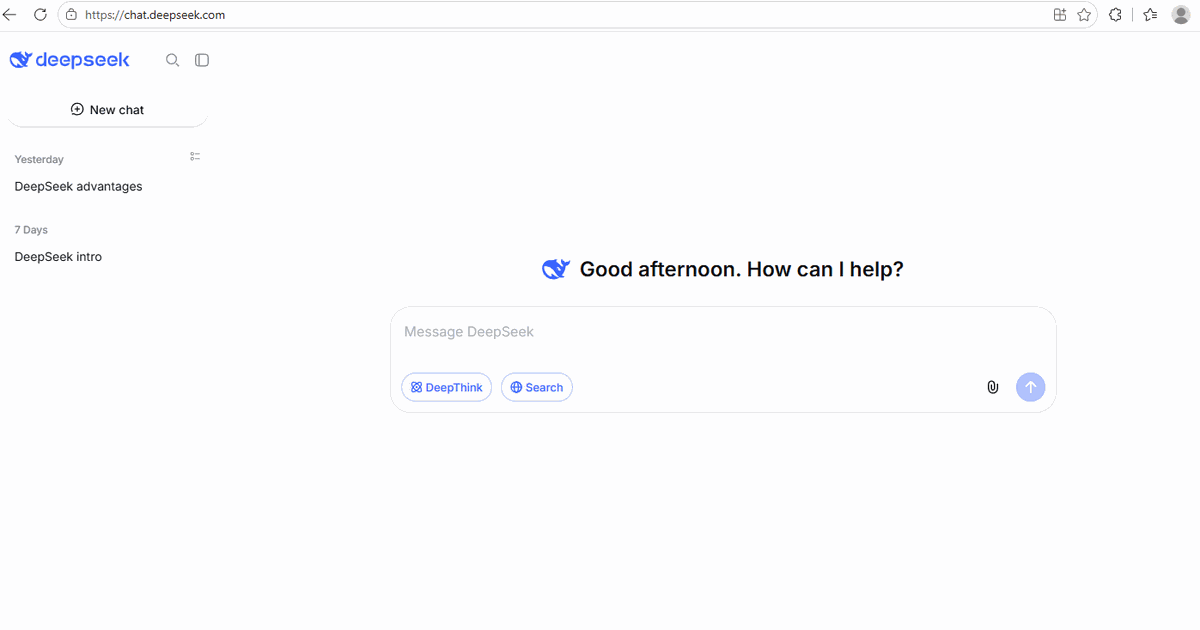
When DeepThink is on, every answer starts with a small gray line like "Thought for 5 seconds." You can click it to expand and read the AI's actual step-by-step reasoning — including moments where it changes its mind. That line is also how you can always tell whether the mode was really on.
How we tested it
To keep the comparison fair, we used the same question twice — once with DeepThink off, once with it on — and always started a fresh conversation for each run, so one answer couldn't leak into the next. Three questions, from easy to genuinely hard:
- A classic riddle that AI chatbots have famously flubbed
- A trick question built to trip up hasty pattern-matching
- A real planning task — splitting a $3,000 travel budget across flights, hotels, food, and activities
Test 1: The classic riddle — both modes passed
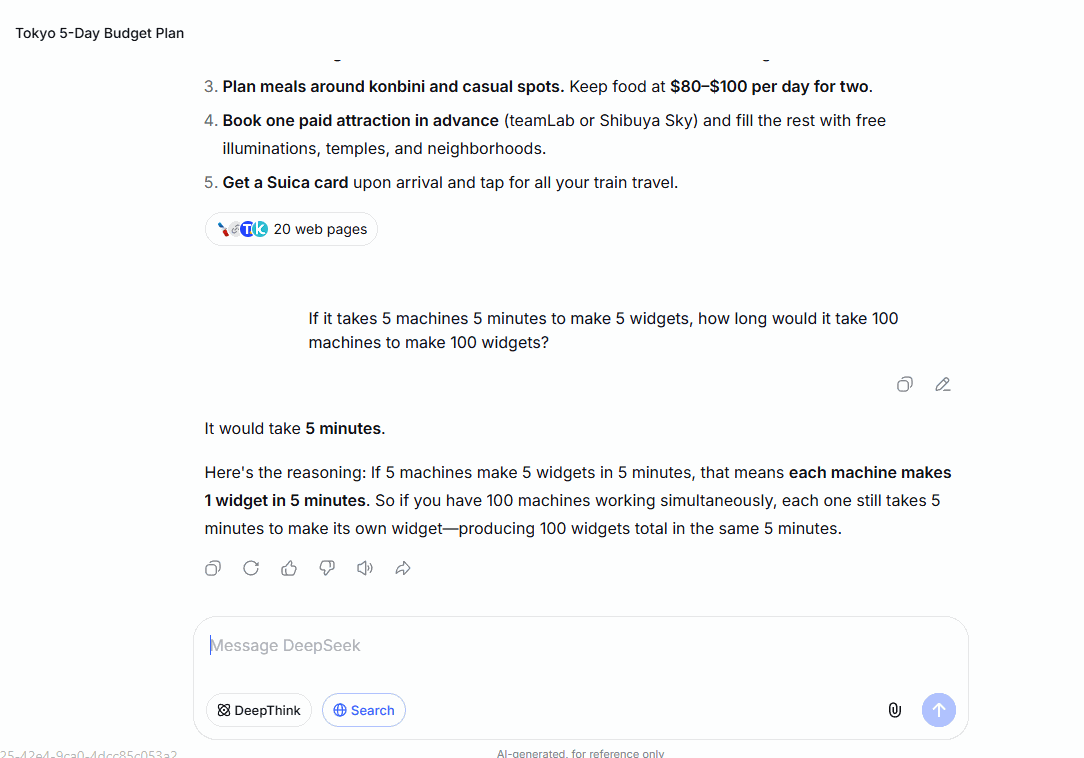
First, the famous one: "If it takes 5 machines 5 minutes to make 5 widgets, how long would it take 100 machines to make 100 widgets?" The intuitive wrong answer is 100 minutes; the correct answer is 5 minutes, because each machine already makes one widget in 5 minutes.
With DeepThink off, DeepSeek answered correctly in seconds:
With DeepThink on in a fresh chat, it still answered correctly — after thinking for exactly 1 second:
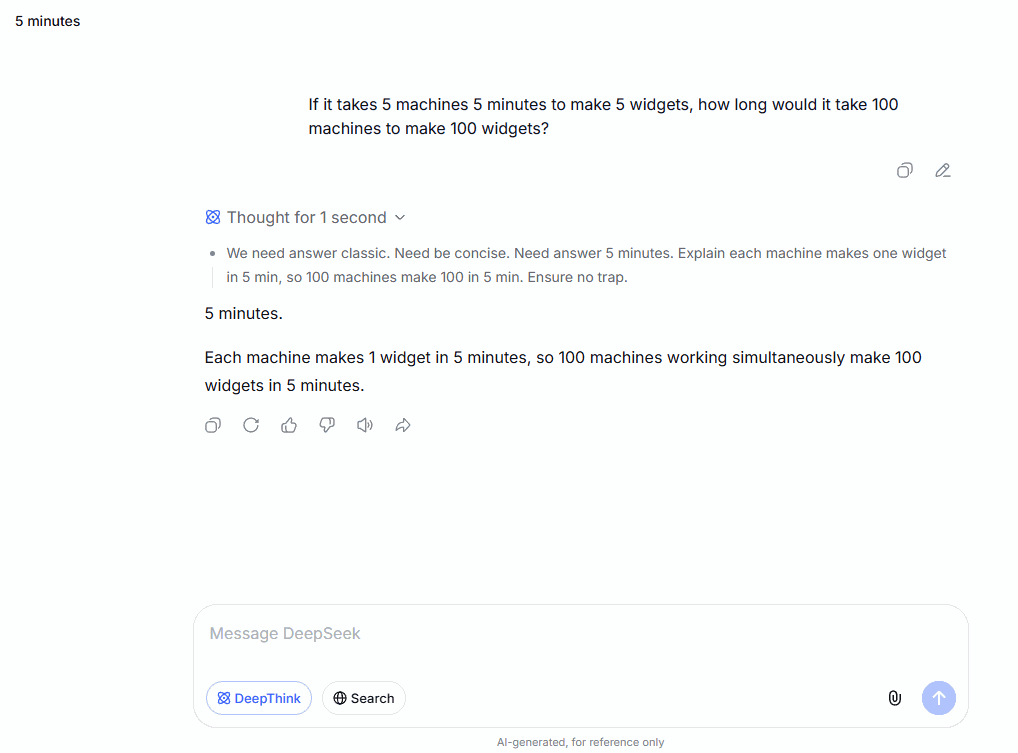
This surprised us. The internet is full of articles using this riddle to "expose" AI chatbots. In our October 2026 test, DeepSeek didn't fall for it in either mode. If you're still quoting this riddle as an AI fail, your example is out of date.
Test 2: The trick question — again, both passed
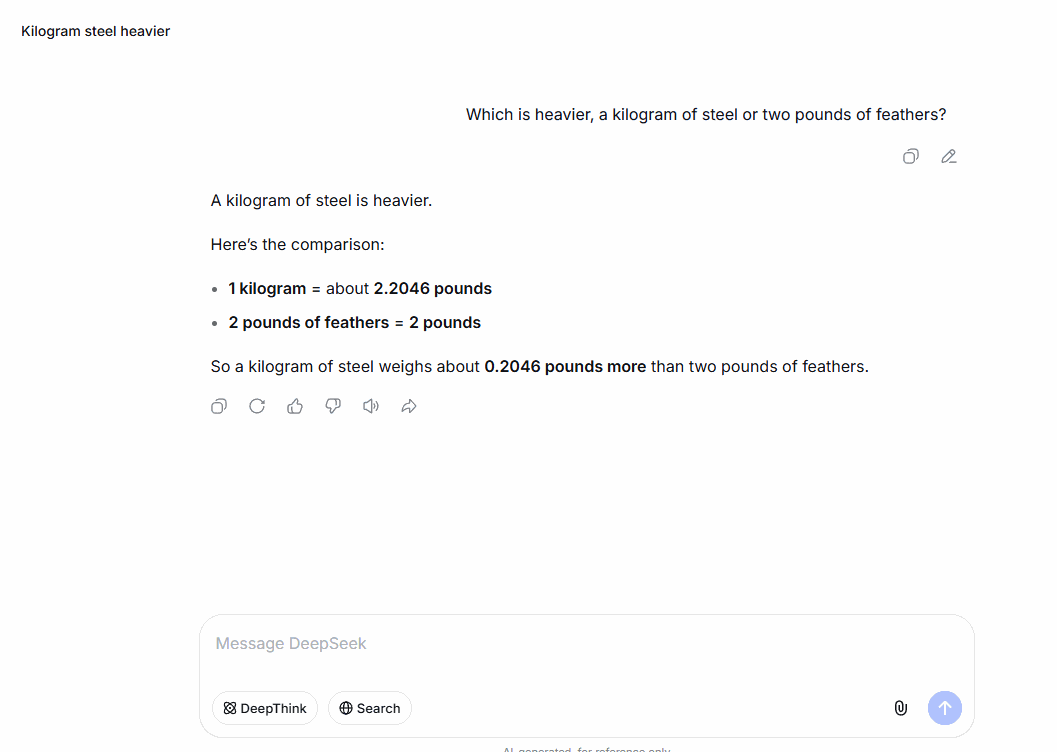
Next, a question designed to trip up hasty answering: "Which is heavier, a kilogram of steel or two pounds of feathers?" The gut answer is "they weigh the same" (that's the famous version with equal units) — but 1 kilogram equals about 2.2 pounds, so the steel is heavier.
DeepThink off: instant and correct, with the conversion spelled out (1 kg ≈ 2.2046 pounds, about 0.2 pounds heavier):
DeepThink on: still correct, but the reasoning is where it gets interesting. In its 2 seconds of thought, it explicitly weighed whether "pound" meant mass or force, decided the everyday interpretation, and settled on the answer:
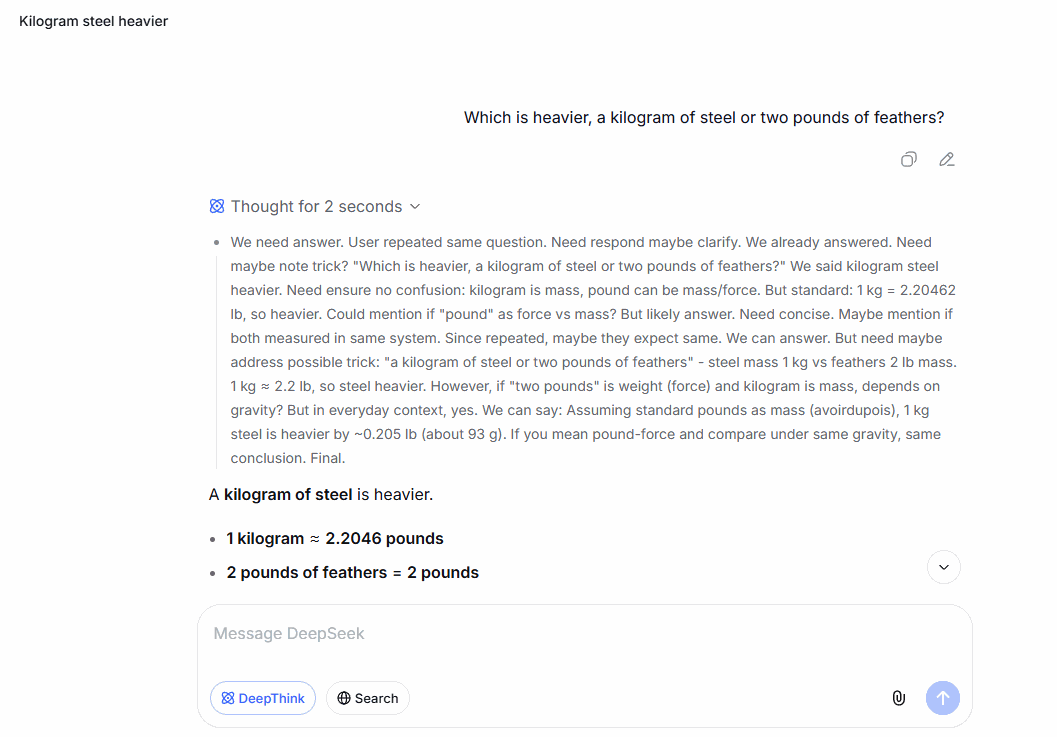
So far, the final answers were identical in quality. The difference was only visible inside the thinking. That changed with the third test.
Test 3: The real-world task — this is where 27 seconds paid off
Finally, a question with no single right answer: "I'm planning a 5-day trip to Tokyo for two people in December. Our total budget is $3,000, including round-trip flights from Los Angeles. How should I split the money?"
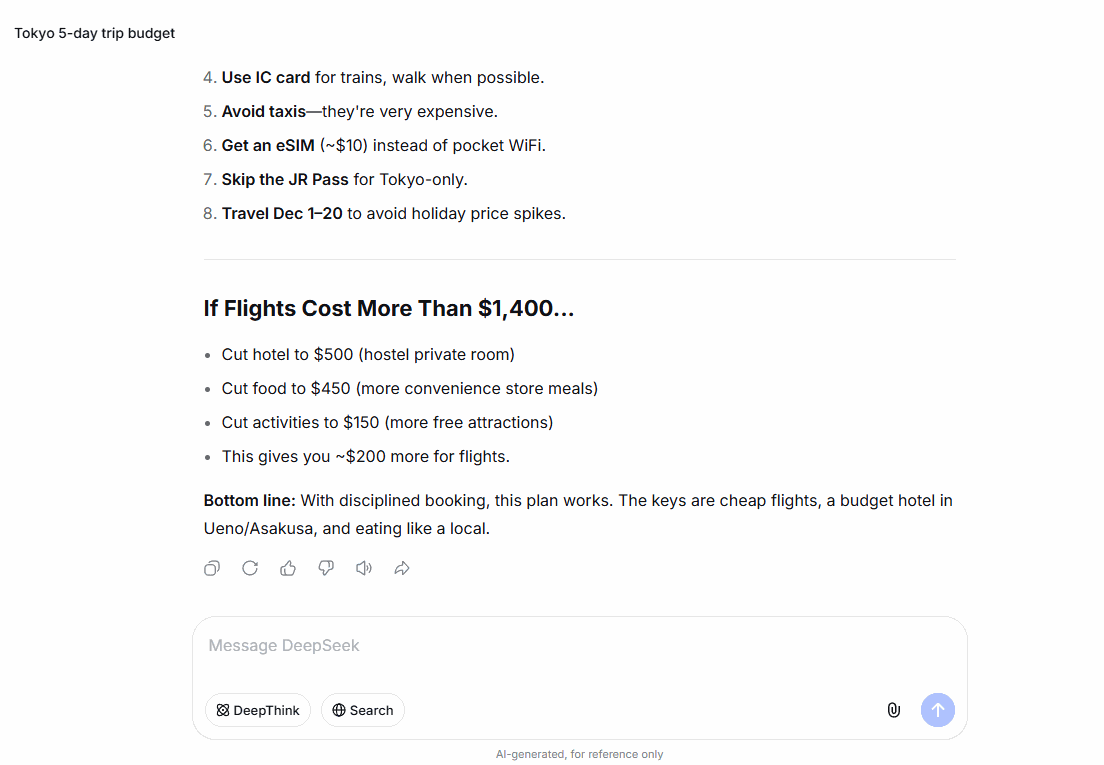
With DeepThink off, the answer arrived fast and was genuinely usable — it opened with a "Quick Reality Check" ($3,000 is tight but doable), produced a clean budget table (flights $1,400, about 47% of the total, $700 per person), warned us to avoid the Dec 28–Jan 3 holiday price spike, and even included a fallback plan for pricier flights:

With DeepThink on, something visibly different happened: the gray line said "Thought for 27 seconds" — and expanding it showed real reasoning, not filler. Mid-thought, it caught its own math slip and fixed it: "Food $50–70/day for two? Wait, $100/day for two = $50/person/day." It stress-tested flight prices, adjusted the hotel budget twice, and named actual budget hotel chains (APA, Toyoko Inn, Super Hotel) before writing a single word of the final answer:

The final answer went deeper too: specific paid activities with names (teamLab, Shibuya Sky, Skytree), an explicit recommendation to skip Disney because it would blow the budget, a Metro 72-hour pass instead of taxis, and a fallback plan whose numbers landed exactly on $3,000 — plus a warning that traveling Dec 20–Jan 3 would realistically need $3,800–4,500:
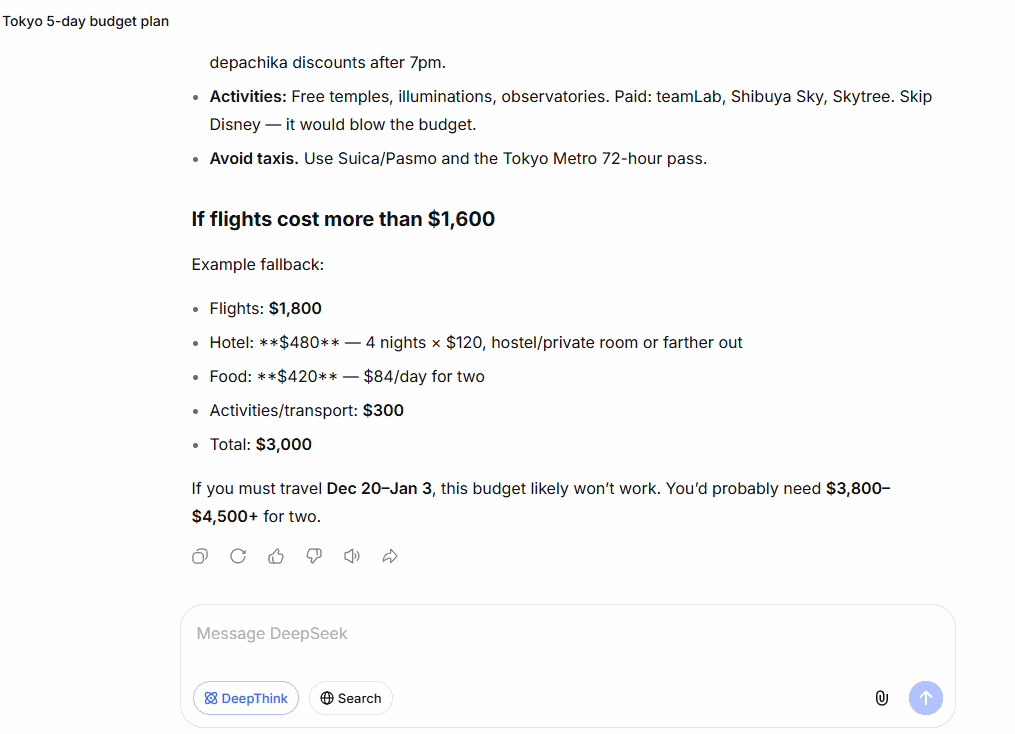
Honest verdict on this test: the plain mode was already good — better than most 2024-era "thinking" modes. What the 27 seconds bought was verifiable care: visible self-correction, concrete names and prices, and a fallback that adds up to the penny. You can't unsee it once you've read the reasoning.
The thinking time, side by side
| Question | DeepThink off | DeepThink on |
|---|---|---|
| Widgets riddle (classic, famous) | Instant, correct | Thought 1 second, correct |
| Steel vs. feathers (trick question) | Instant, correct | Thought 2 seconds, correct + considered edge cases |
| Tokyo $3,000 budget (open-ended planning) | Instant, good plan | Thought 27 seconds, self-corrected, more specific plan |
The pattern is clear: DeepThink scales its effort to the question. It doesn't waste 30 seconds on a riddle it knows, and it doesn't rush a planning task that deserves 27 seconds of thought.
So when should you turn DeepThink off?
Less often than the internet says. Based on this test:
- Leave it on for planning, budgeting, comparing options, math, schedules, and anything where a wrong answer costs you time later. The extra seconds are trivial and the reasoning is free to read.
- Turn it off when you want pure speed on trivial things — quick rewrites, "what does this word mean," casual back-and-forth. DeepThink won't ruin these, but it adds seconds you don't need.
- Don't expect it to fix everything. On well-known riddles and trick questions, plain DeepSeek already answers correctly in 2026 — anyone claiming otherwise is recycling old articles.
Frequently asked questions
- Does DeepThink make DeepSeek slower?
- Only when the question is actually hard. Easy questions got 1–2 seconds of thought in our test — barely noticeable. The hardest question took 27 seconds, which felt fair for a full trip budget.
- Can I see what it's thinking?
- Yes. Every DeepThink answer starts with a "Thought for X seconds" line. Click it to expand the full reasoning, including where it changed its mind.
- Should I use DeepThink and Search together?
- You can — they're independent toggles. DeepThink reasons, Search fetches current web information. For questions like "current price of X," Search matters more; for "help me decide," DeepThink does.
- Is DeepThink free?
- Yes, on the free web version at chat.deepseek.com. Both modes in this test were run on a free account.
Bottom line
We expected DeepThink to be a "slow mode for hard problems." The reality is more useful: it's a self-adjusting thinking mode that mostly stays out of your way and shows its work when it matters. Our advice after 6 timed runs: switch it on, leave it on, and only flip it off when you want a snappy answer to something trivial.
Next step: try it on your own real task — plan a trip, split a budget, compare two purchases — and click open the gray "Thought for…" line. Watching the reasoning is the fastest way to learn what your AI is actually doing. And if you're new to DeepSeek altogether, our 10-minute beginner guide will get you set up; curious how it stacks up against the biggest name in chat? We fed the same 6 questions to DeepSeek and ChatGPT's free versions — screenshots of every answer.