CapCut Templates: We Used Them on a Free Account — the Paywall Only Shows Up at Export
Blogs about "capcut template" can't agree on the basics. Some say free exports carry no watermark. Some say most templates end with a CapCut logo clip you have to delete. Some say Pro content blocks the export; others say it just gets watermarked. So we stopped reading and started testing: we used trending templates on a free account, replaced the media with our own photos, and exported. The full journey — including the moment the paywall finally appeared — is documented below with screenshots.
Short answer: Free templates on CapCut are genuinely free. We used one, swapped in our own photos, and exported a 1080p MP4 with no watermark and no CapCut outro logo — zero paywalls the entire way. But CapCut has a trap Canva doesn't: nothing is labeled in advance. The template gallery shows no Pro badges, and when we added one effect marked with a small purple diamond, CapCut said nothing — until we clicked Export and the panel turned into "1 Pro benefit in use" with a single option: Upgrade. Delete the Pro effect and the free export works again.
What a free account can and can't do with templates
| Step | Free account? | What we saw |
|---|---|---|
| Browsing the template gallery | ✅ Free | Endless trending templates, no Pro badges anywhere |
| Using a template and replacing its media | ✅ Free | Batch-replaced 3 clips with our photos, zero popups |
| CapCut outro logo at the end of the video | ✅ None | Last frame of our export was our own photo |
| Exporting at 1080p, MP4 | ✅ Free | 4 options (360p–1080p), none marked Pro, no 4K offered |
| Watermark on the exported file | ✅ None | We extracted 9 frames and checked every one |
| Exporting a video with a Pro effect in it | ❌ Blocked | "1 Pro benefit in use" + Upgrade is the only button |
Step 1: The template gallery doesn't tell you what costs money
CapCut's own banner advertises "thousands of free trending templates," and the gallery scrolls on forever. But here's the first thing worth knowing, because no tutorial mentions it: the template list carries no Pro badges at all. No crowns, no diamonds, no "$" signs. Compare that with Canva, where every Pro template is marked with a golden crown before you click — in our Canva logo test, we counted 22 marked templates out of 180.
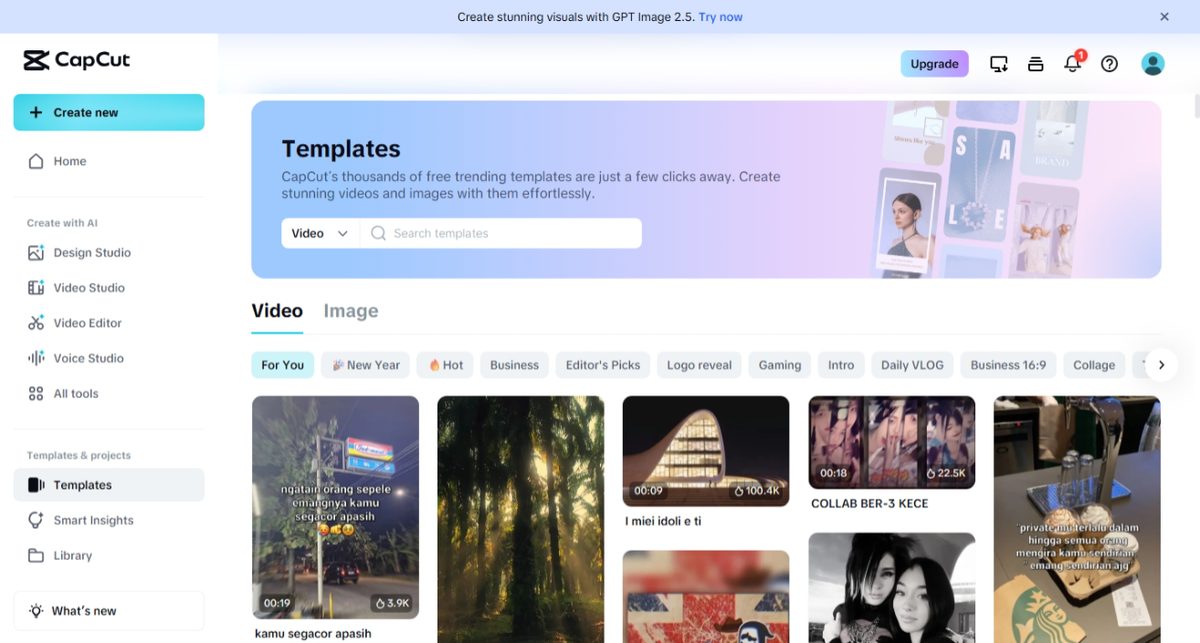
CapCut's pricing page fills in the missing piece: the Pro plan lists "All premium templates" among its benefits. So paid templates exist — CapCut just doesn't show you which ones until you're already inside one.
Step 2: Using a free template — completely open
We picked a 9-second template from the For You feed and clicked Use template. The editor loaded with three media slots, and a Batch replace button let us swap all three for our own photos in one go. During the entire editing session — replacing media, previewing, scrubbing the timeline — no paywall, no diamond warning, no upsell appeared.
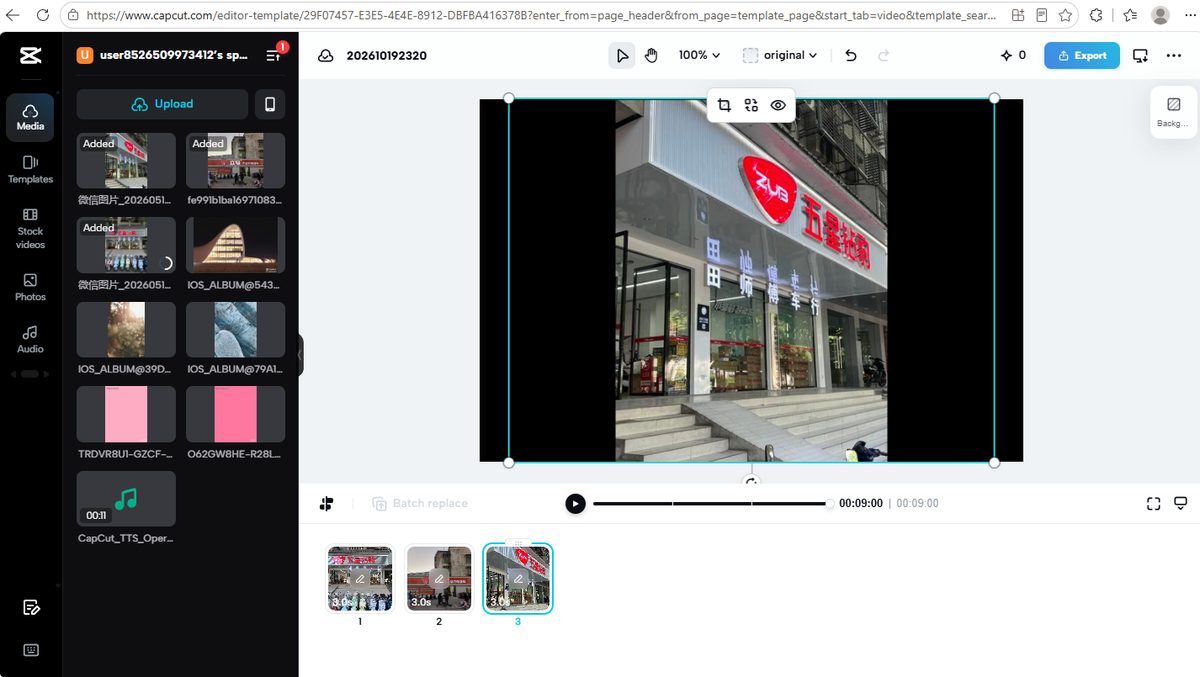
This part matches what the tutorials promise. The walls, as in Canva, show up later — but in CapCut's case, much later.
Is there a CapCut logo at the end of template videos?
This is the question the blogs argue about, so we checked it directly: we dragged the playhead to the very last frame of our 9-second video. The final frame was our own photo — no CapCut outro logo, no branded end card. At least for the template we tested, the "you'll have to delete the CapCut ending" advice doesn't apply.
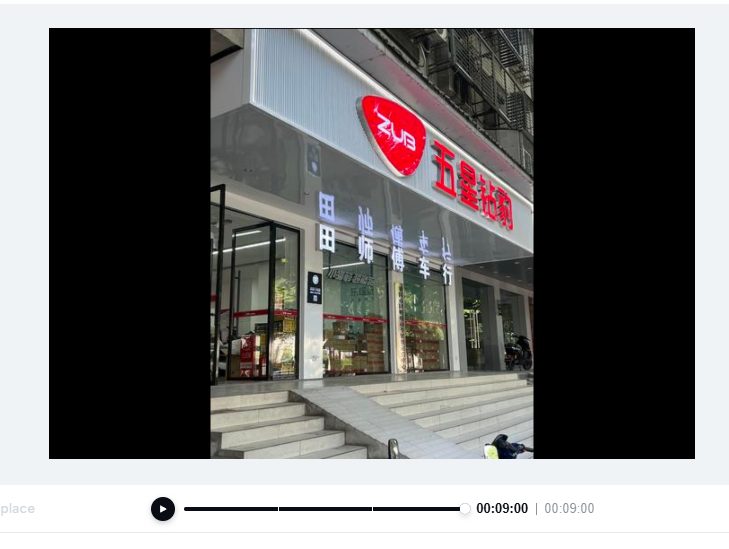
One honest caveat: this is the result for one template we tested, not a survey of thousands. Other templates may behave differently. We report what we measured.
Step 3: The export — free all the way to 1080p
Export starts at Export → Download (the Export button first opens a share menu; Download is the option that leads to the settings panel). The panel offered exactly four resolutions — 360p, 480p, 720p, and 1080p — with no crown, no lock, and no "Pro" label on any of them. There was no 4K option at all. Quality, frame rate (30fps) and format (MP4) were likewise open.
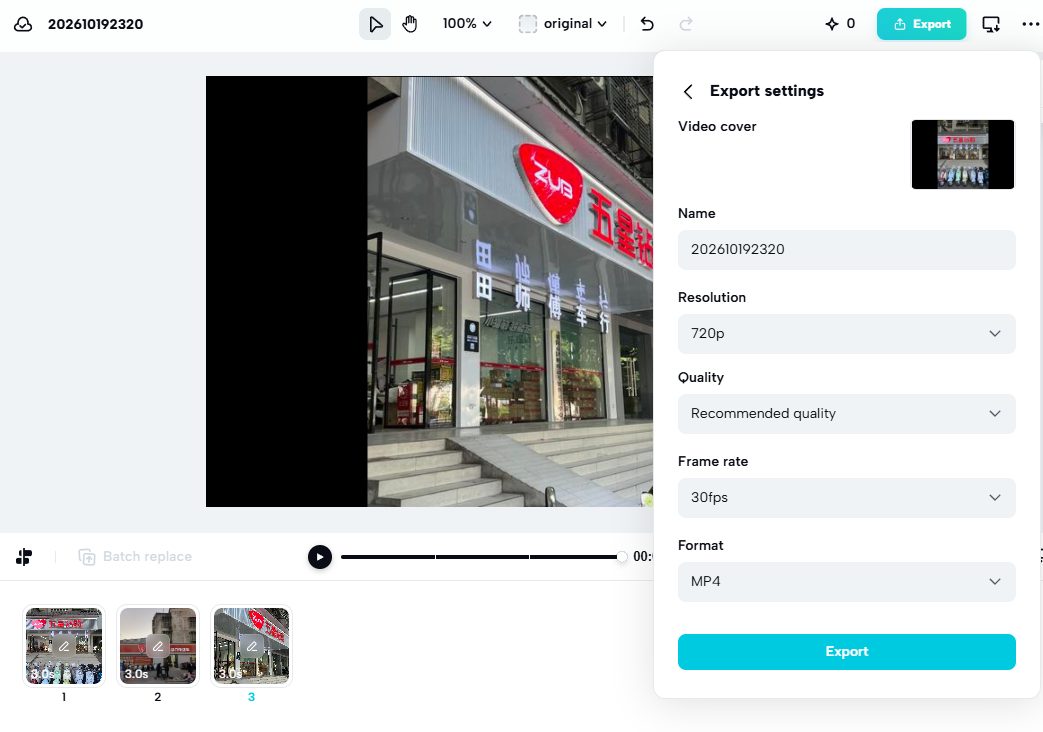
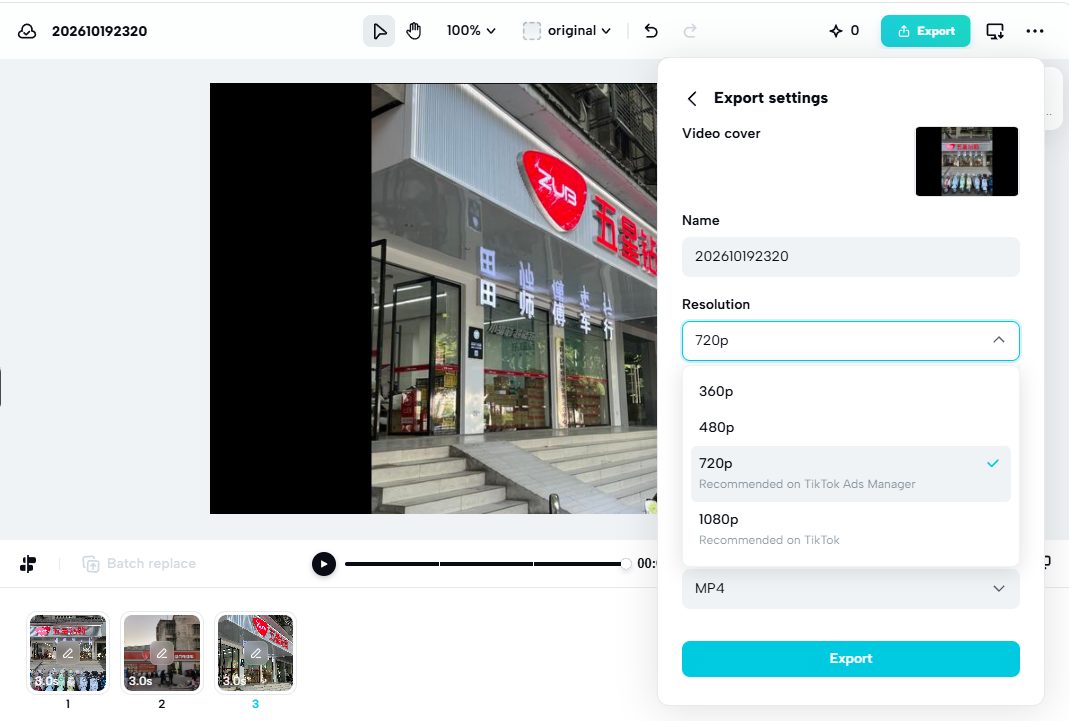
We chose 1080p and exported. The file saved instantly:
- 9.08-second MP4, H.264 + AAC — plays anywhere
- 2.95 MB for 9 seconds
- Actual resolution 1620 × 1080 — CapCut's "1080p" refers to the short side; the long side follows the template's aspect ratio
Then we did the check almost nobody does: we extracted 9 frames — one per second — and inspected every single one. No CapCut watermark, no logo overlay, no corner badge on any frame. The exported video is clean.

So for free templates, the internet rumors are wrong in both directions: free exports do not carry a watermark, and the ceiling isn't 720p — 1080p is free.
Step 4: The trap — a diamond you see, a bill you don't
CapCut's Pro marker does exist in the editor, but only if you know where to look: in the Effects panel, Pro items carry a small purple diamond in the corner. It's the same idea as Canva's crown — just quieter, and absent from the template gallery entirely.
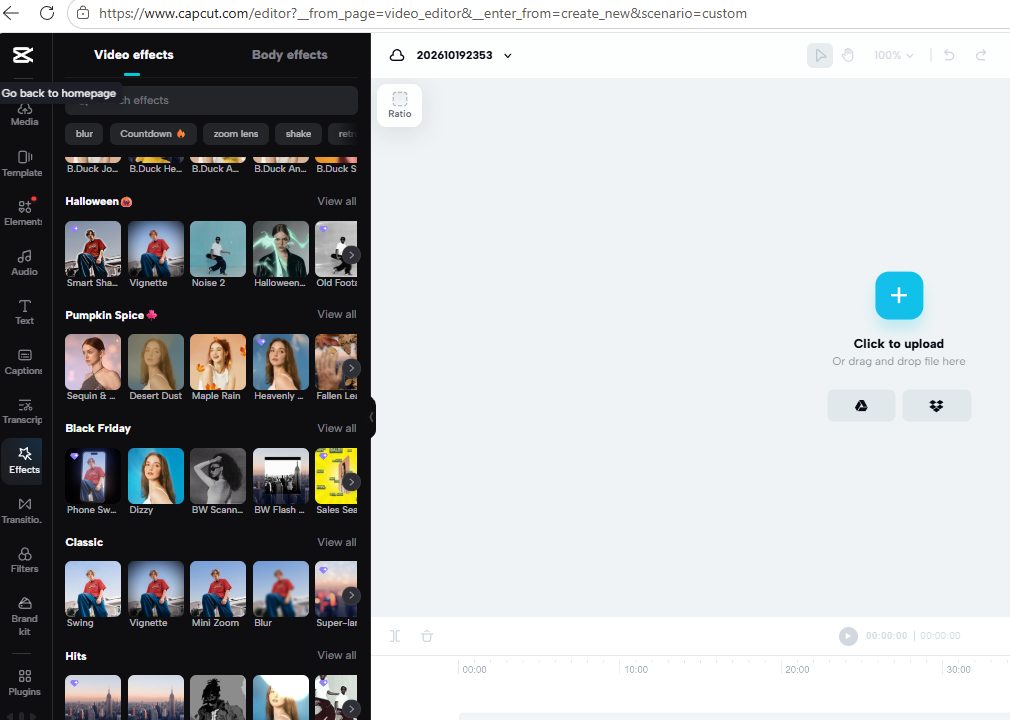
To test what happens, we added one diamond-marked effect to our video. CapCut let us. No warning, no popup, nothing. The effect applied to the timeline like any free one.
Then we clicked Export → Download, and the settings panel looked different this time:
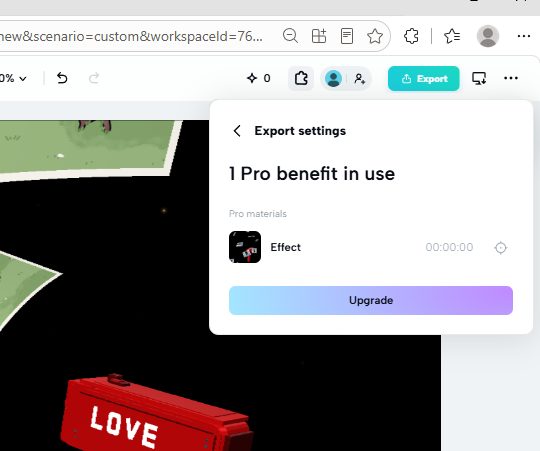
"1 Pro benefit in use." Pro materials: Effect. And a single gradient Upgrade button. We looked for an alternative — an export-with-watermark option, a "remove and continue" link, anything. There is none. The Upgrade button is the only path forward:
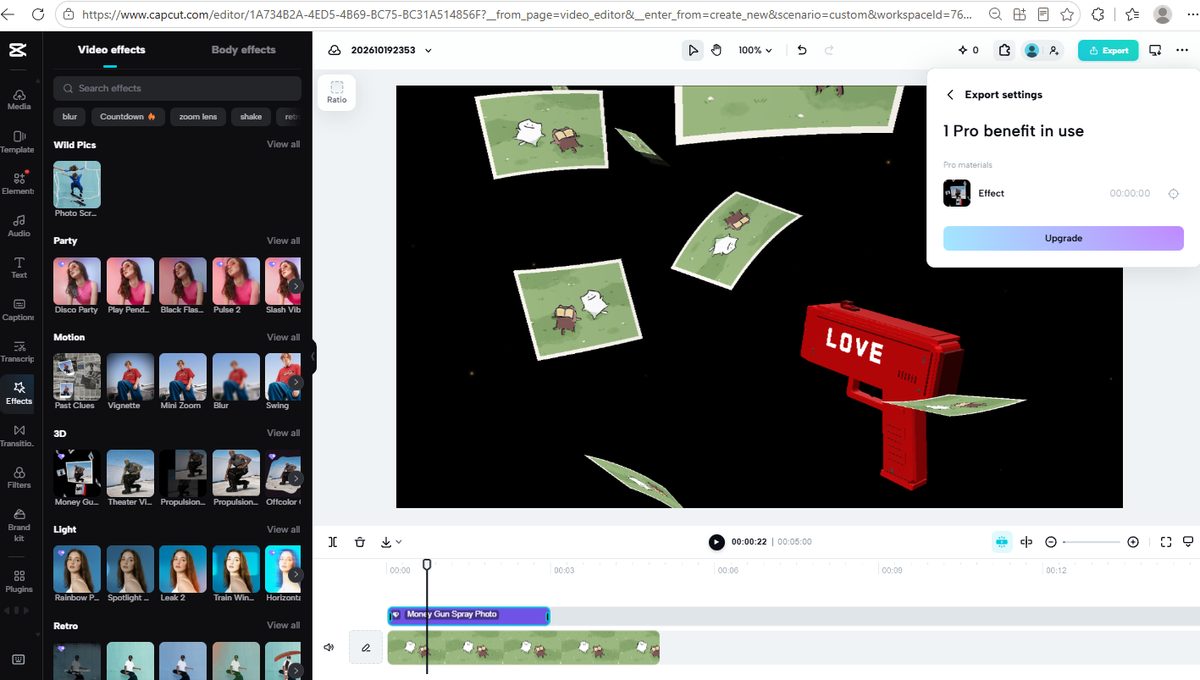
The control test: we deleted the Pro effect from the timeline and opened the export panel again. Instantly back to normal — resolutions open, Export available. The block was exactly and only the one Pro effect.
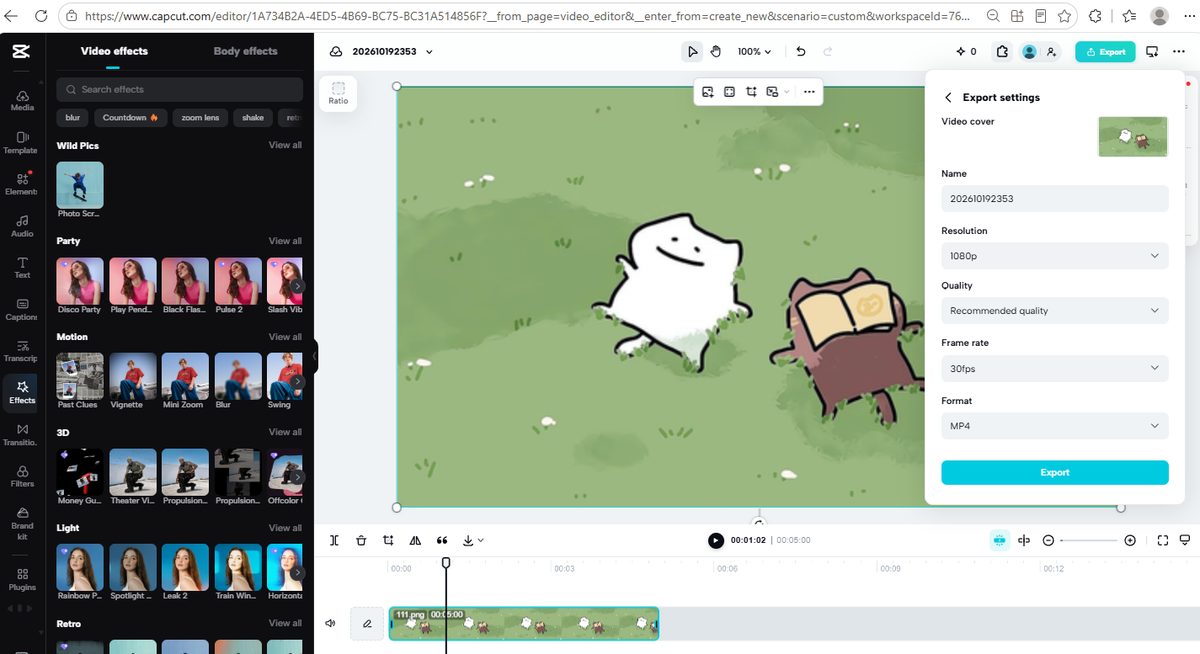
That's the whole business model in one screenshot sequence: CapCut doesn't price-gate the door, it price-gates the exit. You can browse, build, and polish a video containing Pro elements without ever being told — and settle the bill only when the video is finished and you're most invested. Canva does the opposite: crowns everywhere, walls visible from the template gallery onward. Neither is dishonest — both disclose, eventually — but if you'd rather know before you invest an hour in editing, Canva tells you sooner.
What CapCut Pro costs
A Pro upsell popup appeared the moment we opened the template gallery, offering the first month for $1.95:
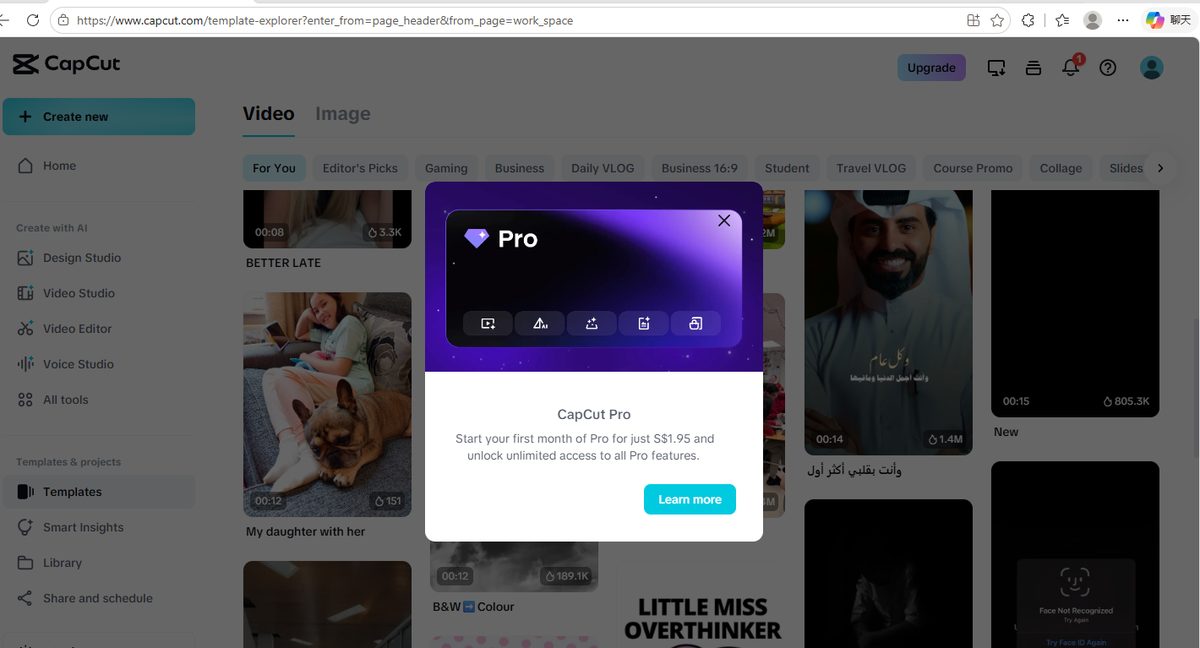
CapCut's official pricing page (prices vary by region; ours displayed in SGD) lists three consumer tiers: Free — described simply as "Free templates to start fast" and "Basic editing tools"; Pro — which adds "All premium templates," "Access to AI features," and 1 TB of cloud storage; and an Ultra tier above it with more AI credits. Note that CapCut, unlike Canva, doesn't publish a single global USD price — the number you see depends on where you are.
So are CapCut templates actually free?
| If you… | Verdict |
|---|---|
| Use free templates with your own photos/clips and export | Yes, genuinely free — 1080p MP4, no watermark, no outro logo, no paywalls |
| Add effects, stickers or transitions while editing | Check for the purple diamond first — CapCut won't warn you until export |
| Export a video containing any Pro element | Blocked — "Pro benefit in use" + Upgrade is the only button; delete the Pro item or pay |
| Want to know prices upfront like on Canva | You won't — the gallery is unmarked, and pricing varies by region |
Frequently asked questions
Are CapCut templates free to use?
The trending templates we tested were. We used one on a free account, replaced its media with our own photos, and exported a finished 1080p video without a single paywall. CapCut's Pro plan does include "premium templates," so paid ones exist — but the gallery doesn't mark which.
Does CapCut add a watermark to free exports?
Not in our test. We exported a template-based video at 1080p and inspected nine extracted frames: no watermark, no CapCut logo overlay, and no branded outro at the end. The exported file was a clean 1620×1080 MP4.
Why can't I export my CapCut video? It says "Pro benefit in use."
Your project contains at least one Pro element — most often an effect, sticker or transition marked with a purple diamond in the effects panel. CapCut lets you add these without warning, then blocks the export until you either upgrade to Pro or delete the Pro item from your timeline. Deleting it restores normal exporting immediately.
What does the purple diamond mean in CapCut?
It marks Pro-only content — effects, stickers, and other assets that require a paid plan to export. Unlike Canva's crowns, the diamond doesn't appear in the template gallery, so check each effect's corner before you add it.
How much is CapCut Pro?
It depends on your region and current promotions — we saw a first-month offer of $1.95, while CapCut's pricing page showed the equivalent of about SGD 23.48/month in our region. CapCut doesn't publish one global USD price. Pro includes all premium templates, AI features, and 1 TB of storage.
Is CapCut free version capped at 720p?
No — not in our test. The free export panel offered up to 1080p with no Pro marks on any option. The web editor simply doesn't offer 4K at all, for any account.
Wrapping up
We ran a free CapCut account through the full template journey — gallery, editing, export — and photographed every gate. The honest summary: CapCut's free templates deliver exactly what they promise — a finished, watermark-free 1080p video for $0, which is more generous than many blogs claim. The trade-off is transparency: nothing is marked in advance, and the paywall waits until the export button. If you like knowing the price before you build, check every effect for the purple diamond as you go. If you want the opposite model — crowns on everything, walls visible from the start — that's how Canva handles it.
Tested October 2026 on a free CapCut web account with no payment details entered. We've also put CapCut's text-to-speech through the same free-account testing in our free AI voice generator comparison — same method, same screenshots-or-it-didn't-happen policy.