ChatGPT "Something Went Wrong": We Tried to Trigger It 6 Ways on a Free Account — Only One Error Showed Up
"ChatGPT something went wrong" is one of the most-googled AI error phrases on the planet, and the first page of results is a wall of identical "10 ways to fix it" lists. Almost none of those articles show the error actually happening. So we spent an evening doing the opposite: deliberately trying to break ChatGPT on a free account — bad file formats, oversized files, a giant paste, a dead network, triple-tabs — and recording exactly what appeared on screen.
Short answer: out of six deliberate attempts to trigger ChatGPT's famous errors, five produced nothing at all. A 2.1 MB zip uploaded without a format warning. A 20 MB text file uploaded in a few minutes with no size complaint. A 250 KB pasted message didn't trigger a "message too long" error — ChatGPT silently converted it into an attachment. Three tabs sending at once got three normal replies. The only real error we caught appeared when we hit send while offline, and it wasn't "Something went wrong" — it was a red toast reading "Loading CSS chunk 879981 failed." The fix required nothing: when the connection returned, pressing send again on the same unrefreshed page delivered the message with our typed text still intact.
The test setup, so you can judge the evidence
Everything below happened in one session on October 29, 2026, on the free ChatGPT plan at chatgpt.com in a desktop browser (Edge on Windows). No payment method was attached, and we didn't change any account settings to provoke errors. One honest caveat: we connected through a commercial proxy and didn't record the exit region, and ChatGPT's replies came back in a mix of English and Chinese — where we quote a reply that was originally Chinese, we say so and translate. We also designed one test file badly on purpose-accident: our "long paste" file contained random encoded characters, not readable prose. That made ChatGPT unable to understand the content — but the mechanism we were testing (what happens to an oversized paste) worked exactly the same.
The scorecard: 6 attempts, 1 real error
| What we tried | What old tutorials promise happens | What actually happened | Error? |
|---|---|---|---|
| Upload a .zip (2.1 MB) | "Unsupported file format" rejection | Accepted; ChatGPT offered to analyze the archive | No |
| Upload a 20 MB text file | Size-limit failure | Uploaded over a few minutes, no warning, task picker shown | No |
| Paste ~250 KB of text | "Message too long" error | Auto-converted to a "Pasted text(2).txt" attachment | No |
| Send with the network off | "Something went wrong" | Red toast: "Loading CSS chunk 879981 failed." | Yes |
| Reconnect and resend | Needs refresh / retry button | Same page, same text, plain resend worked | — |
| Three tabs sending at once | Rate-limit message | Three normal replies, seconds apart | No |
1. The zip upload that refused to be rejected
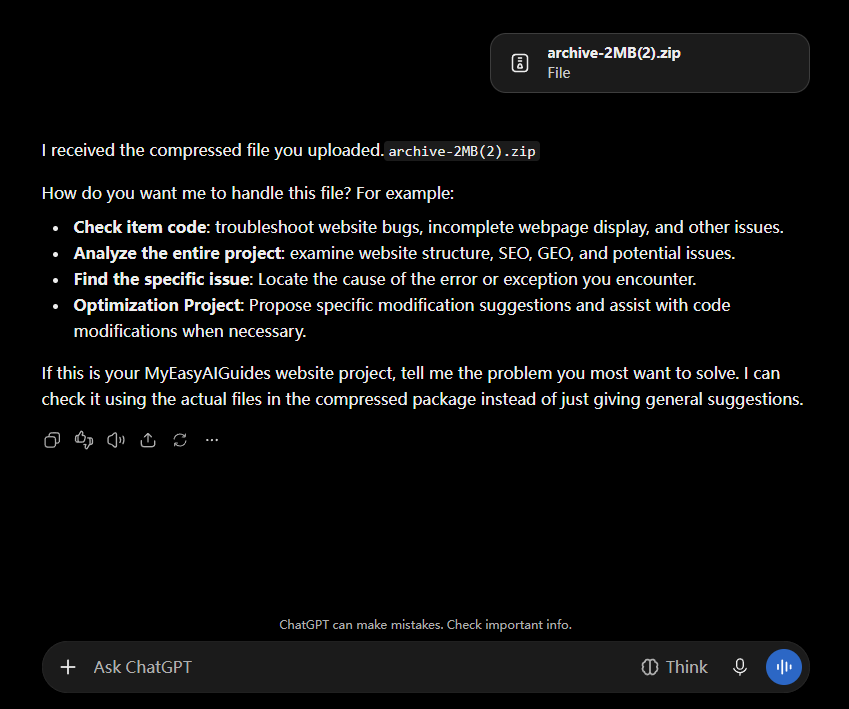
Older guides are full of workarounds for ChatGPT "not accepting compressed files." We dragged a 2.1 MB zip into the composer and pressed send. Nothing warned, nothing blocked. ChatGPT replied:
"I received the compressed file you uploaded. archive-2MB(2).zip. How do you want me to handle this file?"
— followed by four suggested next steps (analyze the project, find a specific issue, and so on). No format error, no conversion nag. On the free plan, in October 2026, a zip is just… a file.
2. A 20 MB file, no size warning anywhere
Next we dragged in a 20 MB plain-text file — twenty times heavier than the "few MB" ceiling many older posts mention. The upload itself was the slowest part of our whole evening: a few minutes on our connection (we didn't stopwatch it precisely, so treat that as approximate). Then it simply worked. No warning about size, no truncation notice. ChatGPT answered with a task picker asking what we wanted done with the document — analyze content, find duplicates, count rows, and so on.
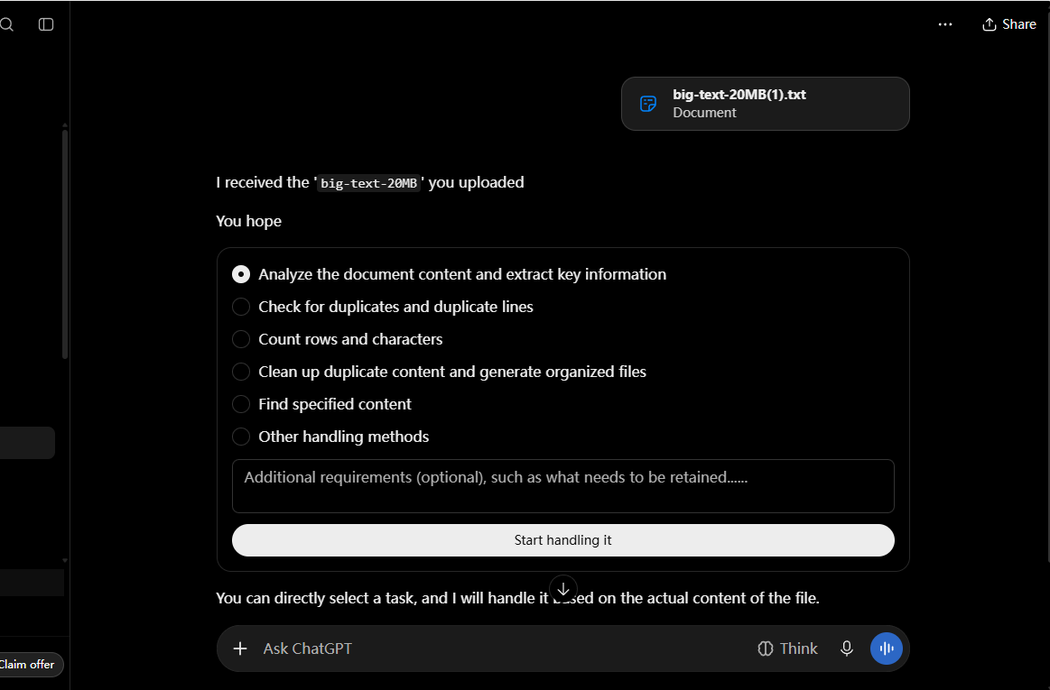
We can't tell you where the real ceiling is — only that 20 MB cleared it easily. If a tutorial quotes a specific upload limit without a test date, be suspicious: this one moves.
3. The "message too long" error has been replaced by silence
This was the surprise of the night. We selected all ~250 KB of a text file and pasted it into the composer. Older guides promise a "message too long" rejection. Instead, ChatGPT quietly converted the paste into an attachment labeled "Pasted text(2).txt" and treated it like an uploaded document — the reply came back after 14 seconds of analysis.
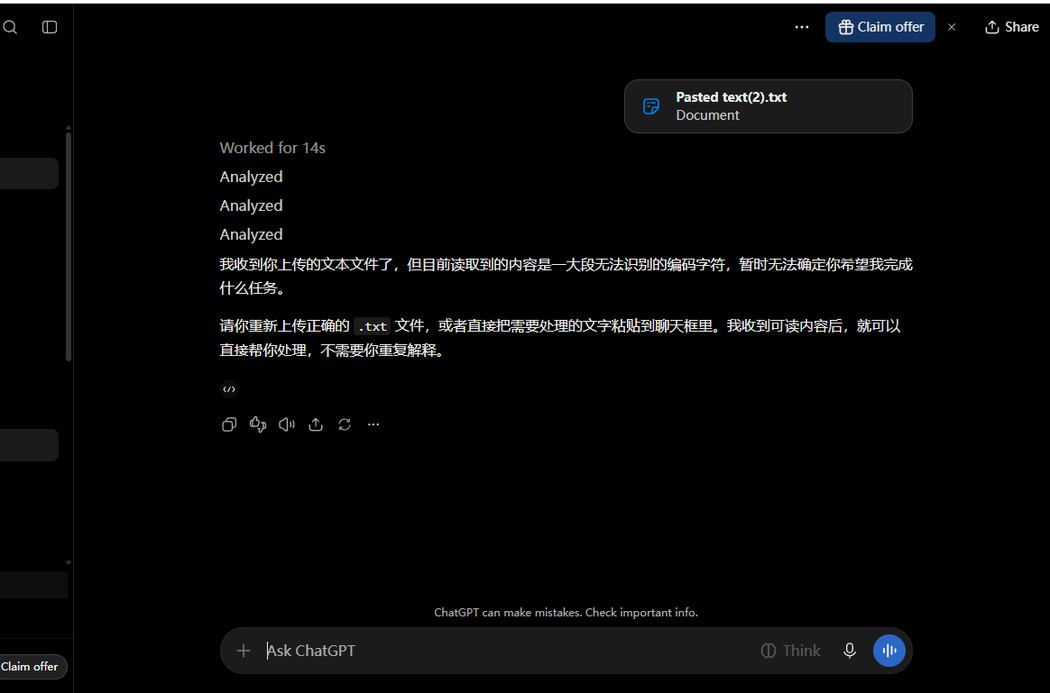
Full disclosure: our paste was random encoded characters (a badly designed test file), so ChatGPT replied that it couldn't make sense of the content and asked us to upload a proper text file. That's about our file, not a failure of the test — the mechanism we were measuring is what happens to an oversized paste, and the answer is: it becomes an attachment, silently.
4. The only real error of the night — and it wasn't "Something went wrong"
We typed a message, disconnected the network, and hit send. A red toast slid out under the composer within a second. Here is the complete text, character for character:
"Loading CSS chunk 879981 failed.\n(https://chatgpt.com/cdn/assets/async/5c41d67e3404.css?_cdex_import_retry=1793275152724-5)"
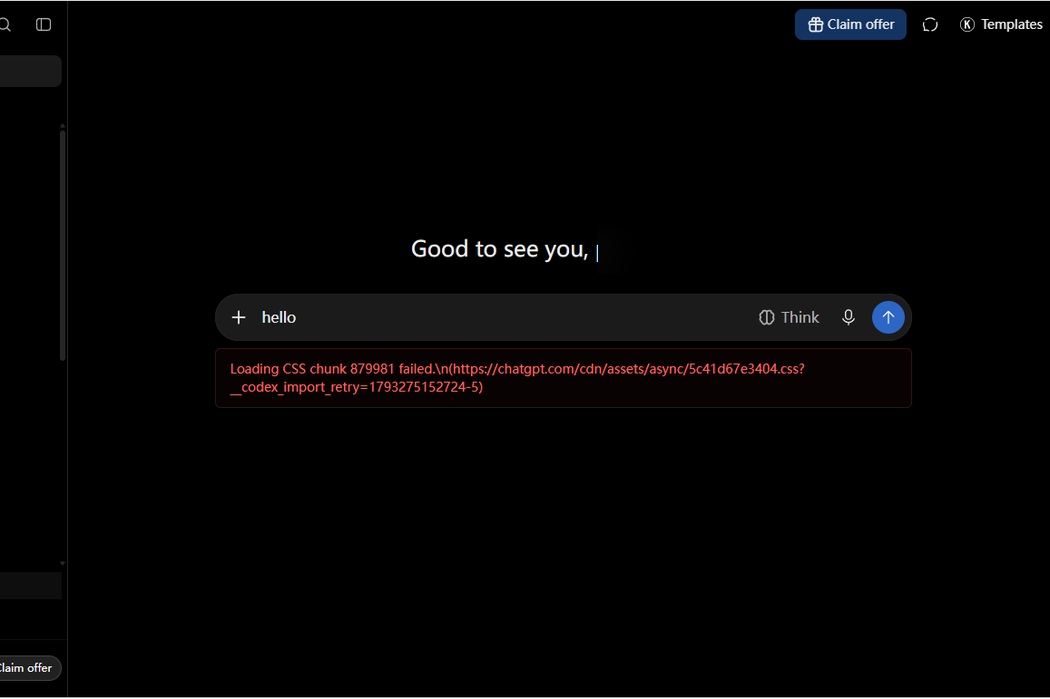
Read that again: the most-googled error phrase in AI troubleshooting never appeared in our session, even when we broke the network on purpose. What you actually get when sending offline is a raw, developer-flavored resource error. Three details matter for anyone panicking at this screen:
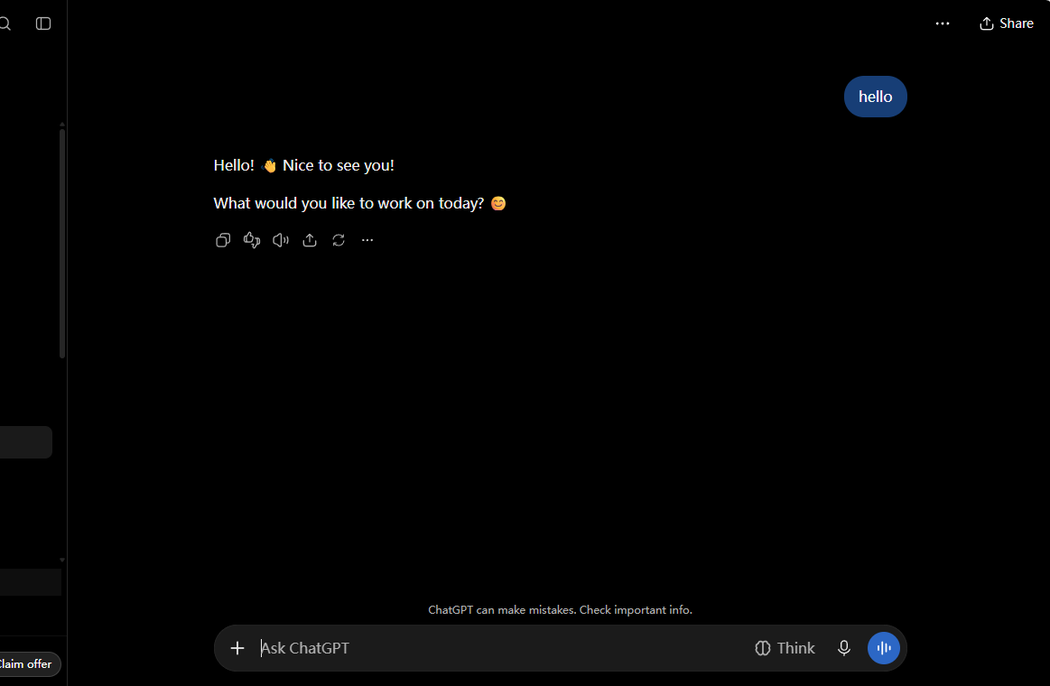
- Your text is not lost. "hello" sat untouched in the composer the whole time.
- No refresh needed. When the network came back, we pressed send again on the same page — no F5, no reopening the tab.
- No retry button required. The message went through instantly: "Hello! 👋 Nice to see you! What would you like to work on today?"
5. Three tabs at once: no rate limit, no lecture
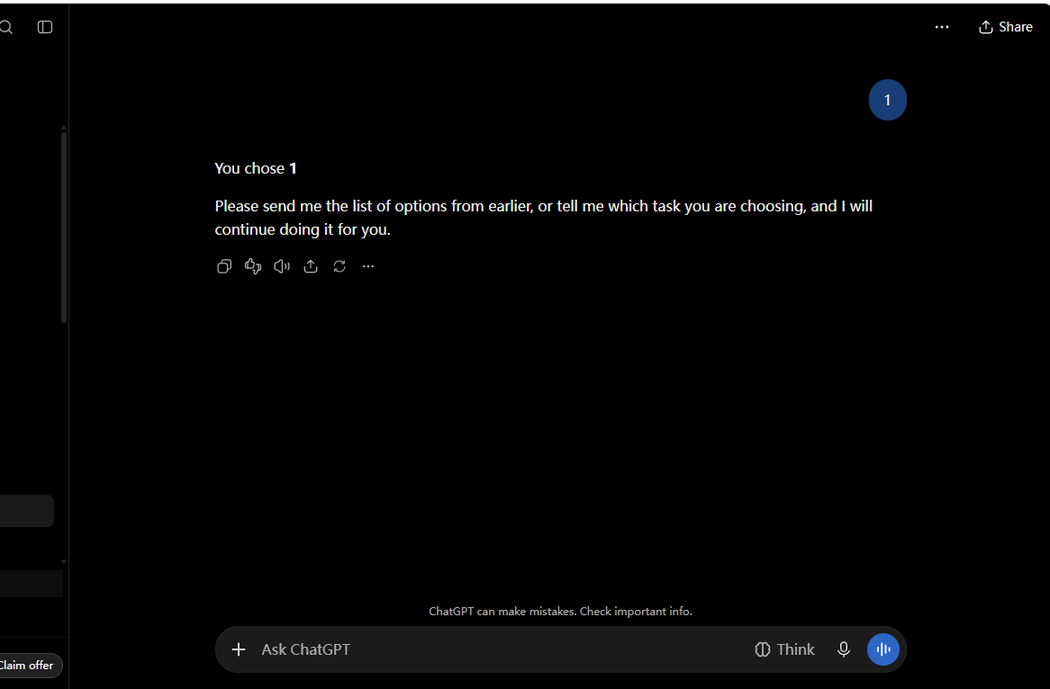
Finally we opened three tabs on the same free account and fired messages within seconds of each other. All three got normal replies almost immediately — no queue warning, no "you've hit your limit," no error in any tab. (Two of the three replies came back in Chinese on our account; we translated them for quoting here.) One tab's reply, quoted as it appeared:
"You chose 1. Please send me the list of options from earlier, or tell me which task you are choosing, and I will continue doing it for you."
We're not claiming ChatGPT never rate-limits — heavy users hit usage caps all the time, and we weren't testing sustained load. We're saying three tabs in a few seconds didn't even make it blink.
What we could not reproduce (and why that's the real story)
Every troubleshooting list on the first page of Google treats these errors as everyday occurrences. In one deliberate session, none of them showed up:
- "Something went wrong" — the exact phrase never appeared, not even offline
- "Unsupported file format" — the zip sailed through
- File size limit errors — 20 MB raised no warning
- "Message too long" — replaced by silent auto-attachment
- Rate-limit errors from concurrent tabs — three tabs, three calm replies
That doesn't mean these errors are extinct — server-side outages happen, usage caps are real, and our session is one account on one evening. But it does mean most fix-it articles are documenting a ChatGPT that no longer quite exists, without test dates or screenshots to check against.
If you see an error tonight: what our test actually supports
We're not going to hand you ten ritual fixes — we only verified a few things. The one error we caught was connection-related, and it died without any effort: check your connection first; when it's back, just press send again on the same page. Your typed text stays in the composer through the error, so there's nothing to retype. Refreshing the page, reopening the tab, and switching networks — the three remedies every listicle leads with — are things we didn't need, so we can't tell you whether they help with errors we never saw. If an error persists past a working connection, it's probably on ChatGPT's side, and the honest move is to wait a few minutes rather than uninstall your browser.
What we did not test
So you know where the evidence stops: we didn't test paid plans, mobile apps, voice mode, image generation queues, or sustained heavy usage that might trip real usage caps. We never saw a server-side "Something went wrong" because our session didn't coincide with an outage. And our connection ran through a commercial proxy, so results could differ on other networks. Our methodology page lists every test we couldn't finish, with dates.
Wrapping up
The irony of "ChatGPT something went wrong" is that the phrase has become folklore — searched millions of times, written about thousands of times, and (at least on our free account, on this evening) almost impossible to actually produce. The errors ChatGPT really shows in 2026 are smaller, rarer and more technical than the legend. The one we caught — a chunk-loading toast after sending offline — self-healed with a single resend and never touched our text. If a guide tells you otherwise without a screenshot and a date, now you know what to ask for.