GPT-6 in ChatGPT: What Free Users Actually Get (Tested on a Free Account)
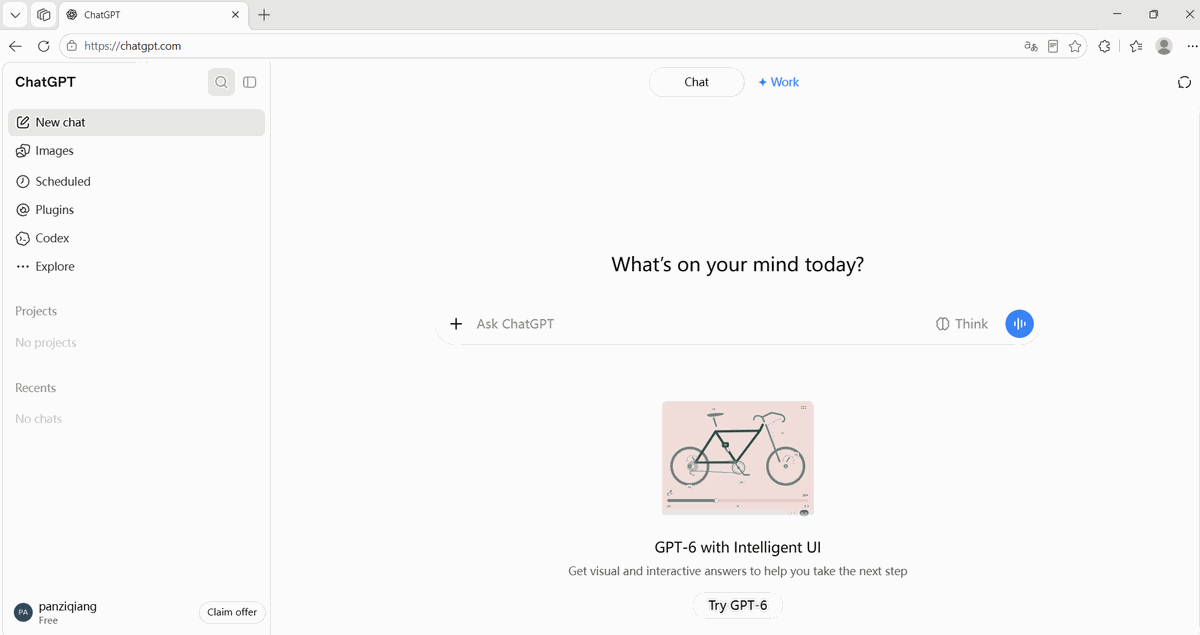
On October 8, OpenAI made GPT-6 the default model for free ChatGPT accounts, together with a new feature called Intelligent UI — answers that are no longer walls of text, but calculators, maps, charts and forms built right into the chat. That sounds huge. So three days later, we sat down with a completely free account, asked six real questions, timed every answer, and screenshotted the whole thing. Here's exactly what a free user gets — and where the marketing overshoots the reality.
Short answer: the hype is mostly justified. Out of our six test prompts, four produced genuinely working interactive elements — a bill-splitting calculator, an interactive Kyoto map, a compound-interest chart with a full data table, and a five-question form that gave us a personalized laptop recommendation after we clicked its button. Simple questions still get plain-text answers, which is exactly right. The one miss: the interactive bicycle diagram from OpenAI's own demo came back as text with stock photos instead. Free users also still get a Think (reasoning) toggle — but they now see ads, and the best reasoning tier stays behind the $15/month wall.
What actually changed on October 8
Two things, and they matter for different reasons:
1. GPT-6 became the default model for everyone — including free accounts. OpenAI's paid tiers run a stronger variant, but the free default is no longer the old model. 2. Intelligent UI arrived: instead of only writing text, ChatGPT can now build small interactive tools inside the chat — forms, calculators, maps, charts. This is the feature everyone is talking about, and the one we wanted to stress-test.
One honest note about our setup: our account was registered in Singapore, so some answers used Singapore dollars (SGD) by default and one answer explicitly said "since you're in Singapore." If your account is in another country, expect your local currency instead. Everything else behaved the same.
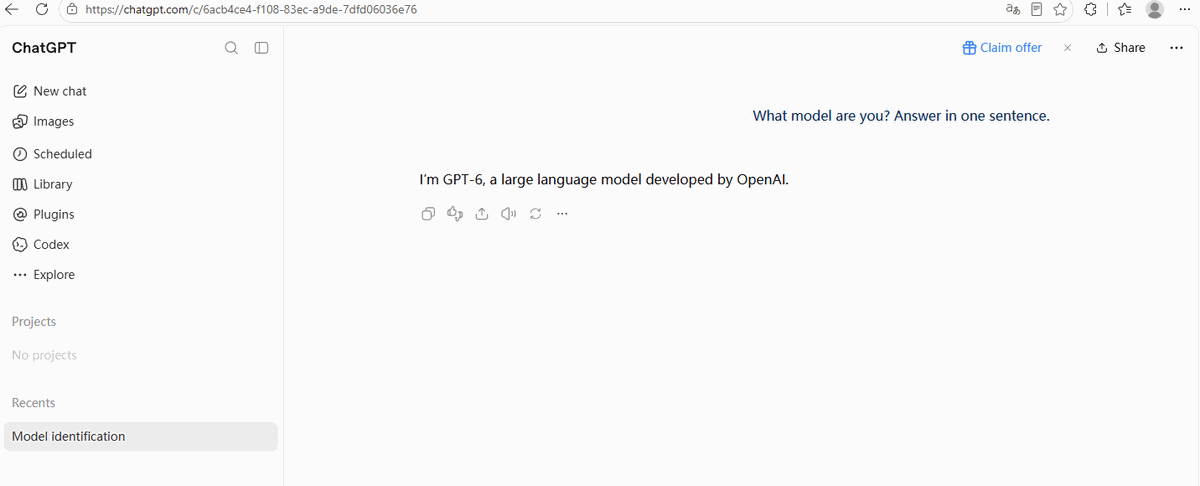
First check: is it really GPT-6?
Marketing claims are cheap. We asked the model to introduce itself:
The six tests
We picked six prompts: five where an interactive interface would genuinely help, and one trivial question as a control. Every prompt ran in a fresh chat on the free plan. Here's the scorecard; the sections below show the receipts.
| Prompt | What we expected | What we actually got | Time |
|---|---|---|---|
| Explain how a 7-speed bicycle works | Interactive diagram (per OpenAI's demo) | Text + stock photos — no interactive diagram | ~4 s |
| Build me a calculator to split a dinner bill among 4 people with tip | Some kind of calculator | Full working calculator with tip slider and breakdown | ~9 s |
| Plan a 3-day trip to Kyoto with a map of the places | Map | Interactive map + day-by-day cards + budget table | ~7 s |
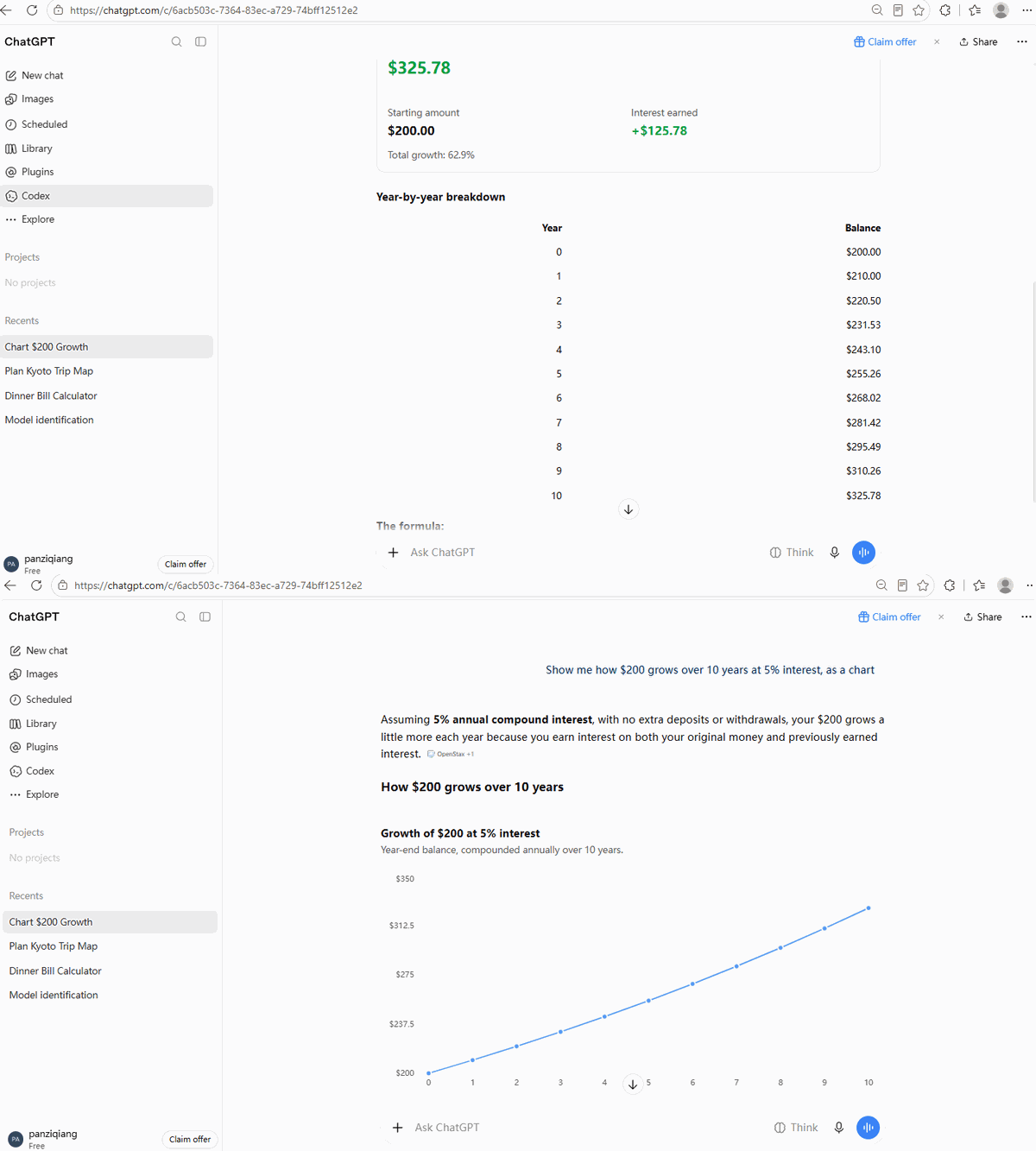
| Show me how $200 grows over 10 years at 5% interest, as a chart | Chart | Real line chart + year-by-year table | ~8 s |
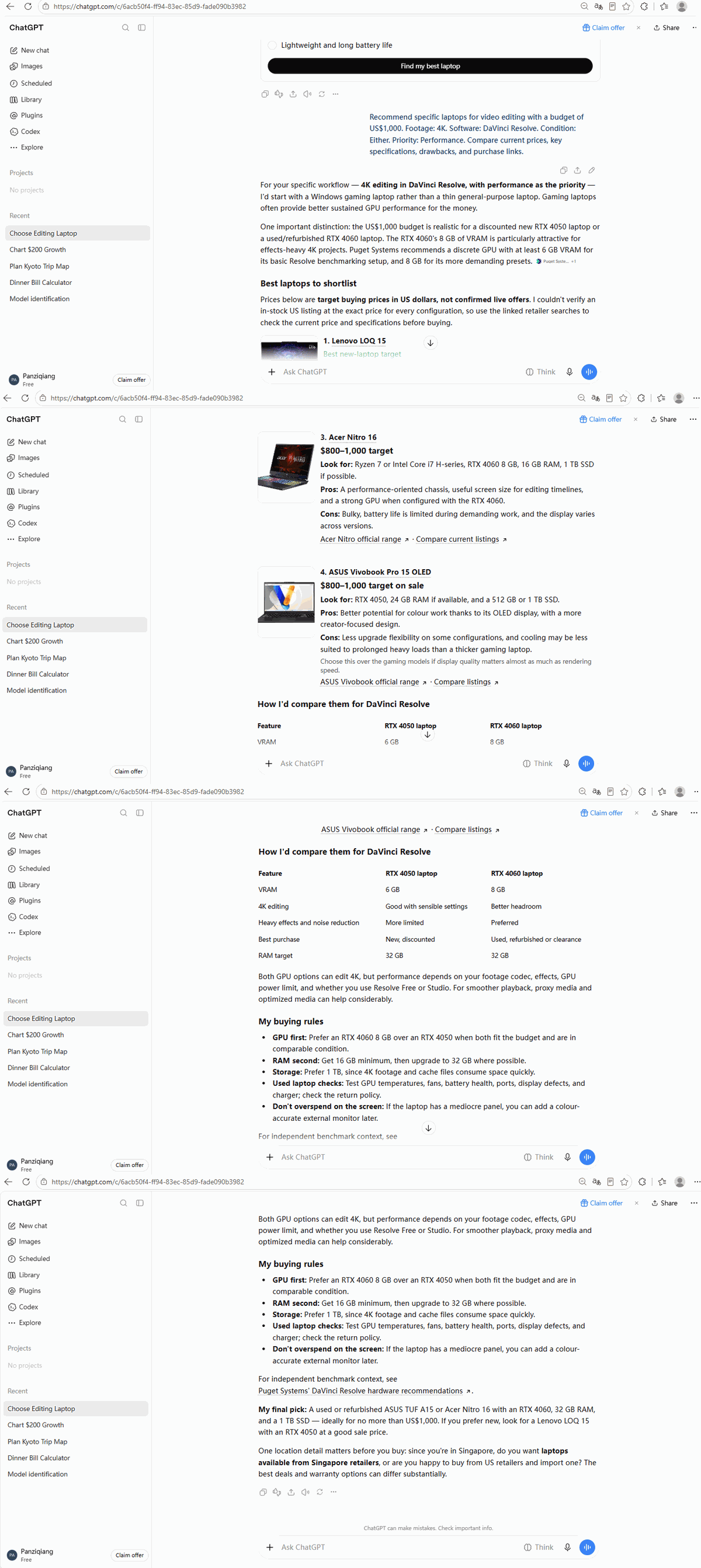
| Help me choose a laptop for video editing under $1000 | Buttons | 5-question form, then a personalized recommendation when submitted | ~11 s |
| What's the capital of Japan? (control) | Short text answer | One plain sentence — no UI, as it should be | Instant |
Test 1: The bicycle — where marketing outran reality
OpenAI's own demo for Intelligent UI shows ChatGPT drawing an interactive bicycle diagram you can click apart. We asked the exact same kind of question:
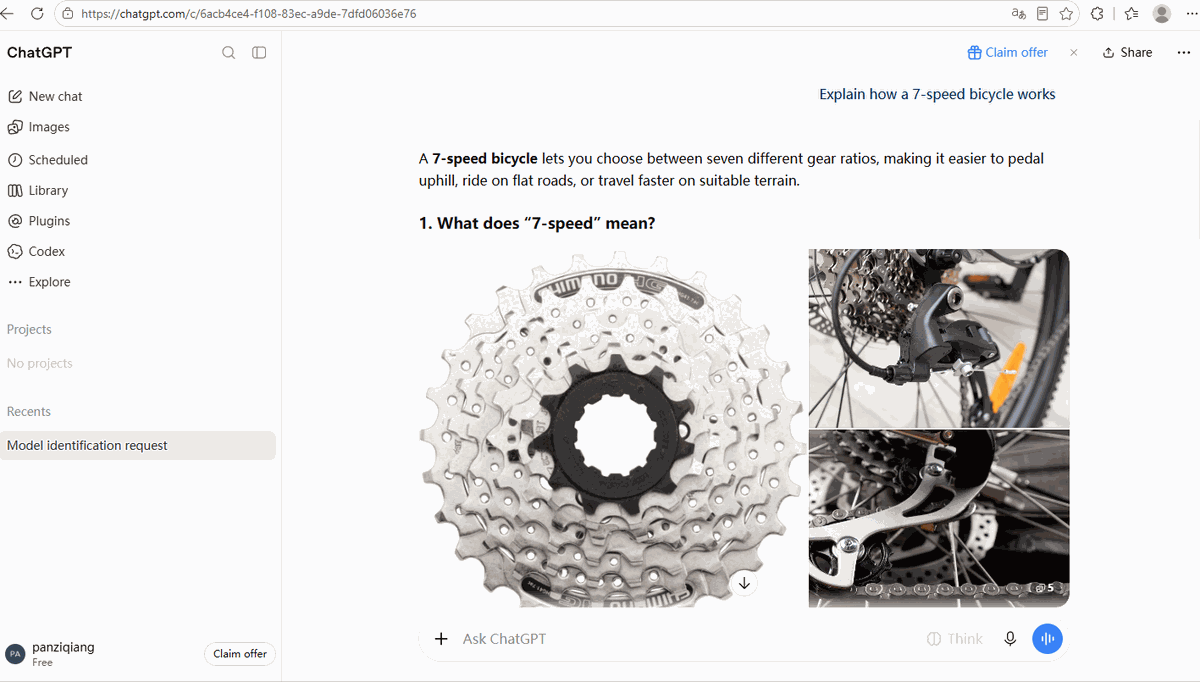
Is the answer useful? Yes — arguably more useful than a stylized diagram, because they're real photos of real parts. But it is not the interactive UI that was advertised, and we think that gap is worth documenting. If you're reading reviews that simply repeat the official demo, know that the reality is hit-and-miss.
Test 2: The dinner-bill calculator — the showstopper
This one delivered completely. Nine seconds after sending the prompt, the chat contained a working calculator:
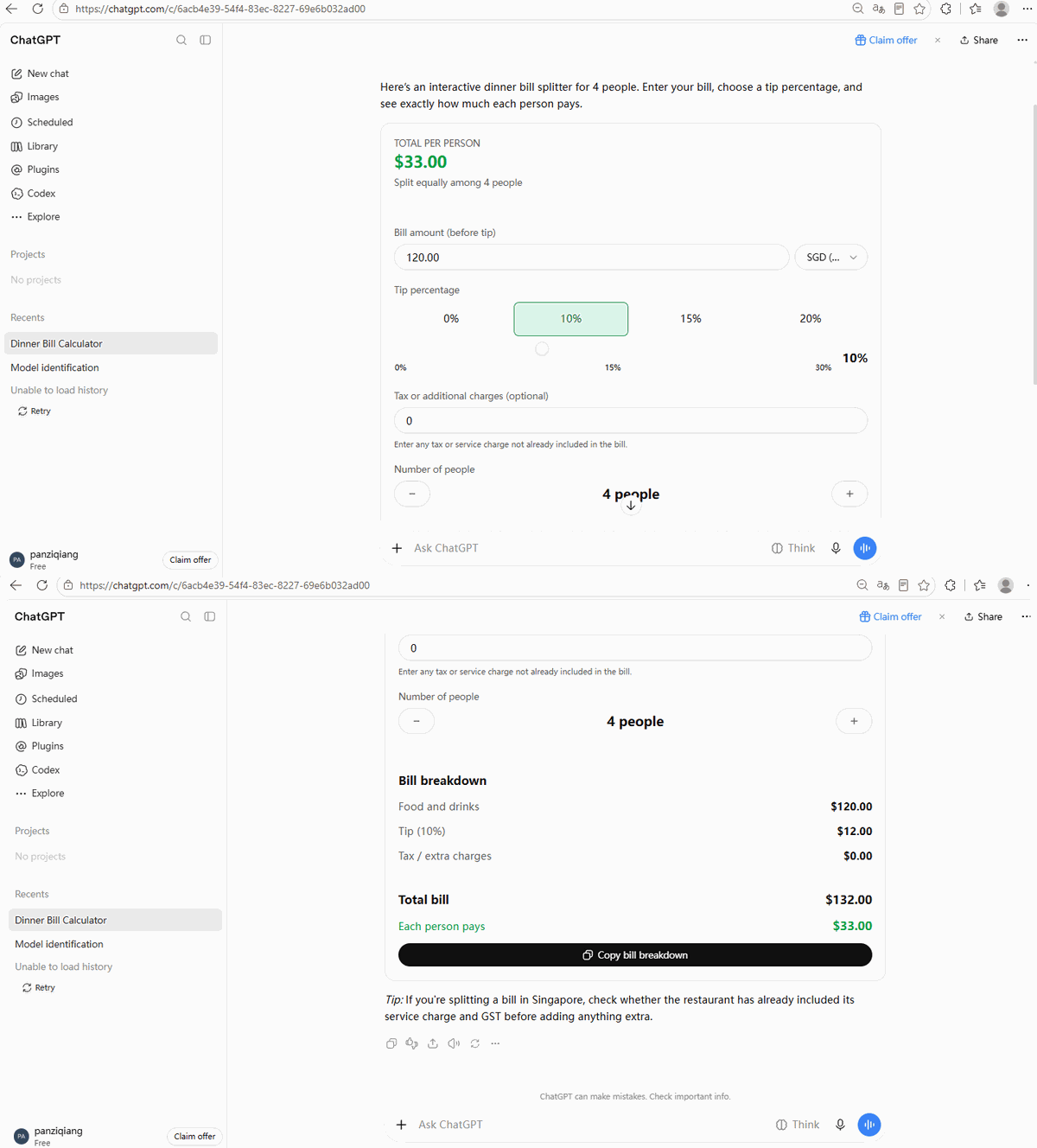
We typed in it, moved the sliders, and the totals updated. This is not a picture of a calculator — it's a small app living inside a chat message. For "how much does each person pay" questions, this is genuinely better than reading a paragraph of arithmetic.
Test 3: The Kyoto trip — map, cards and budget in one answer
The travel-planning prompt produced the richest answer of the whole session:
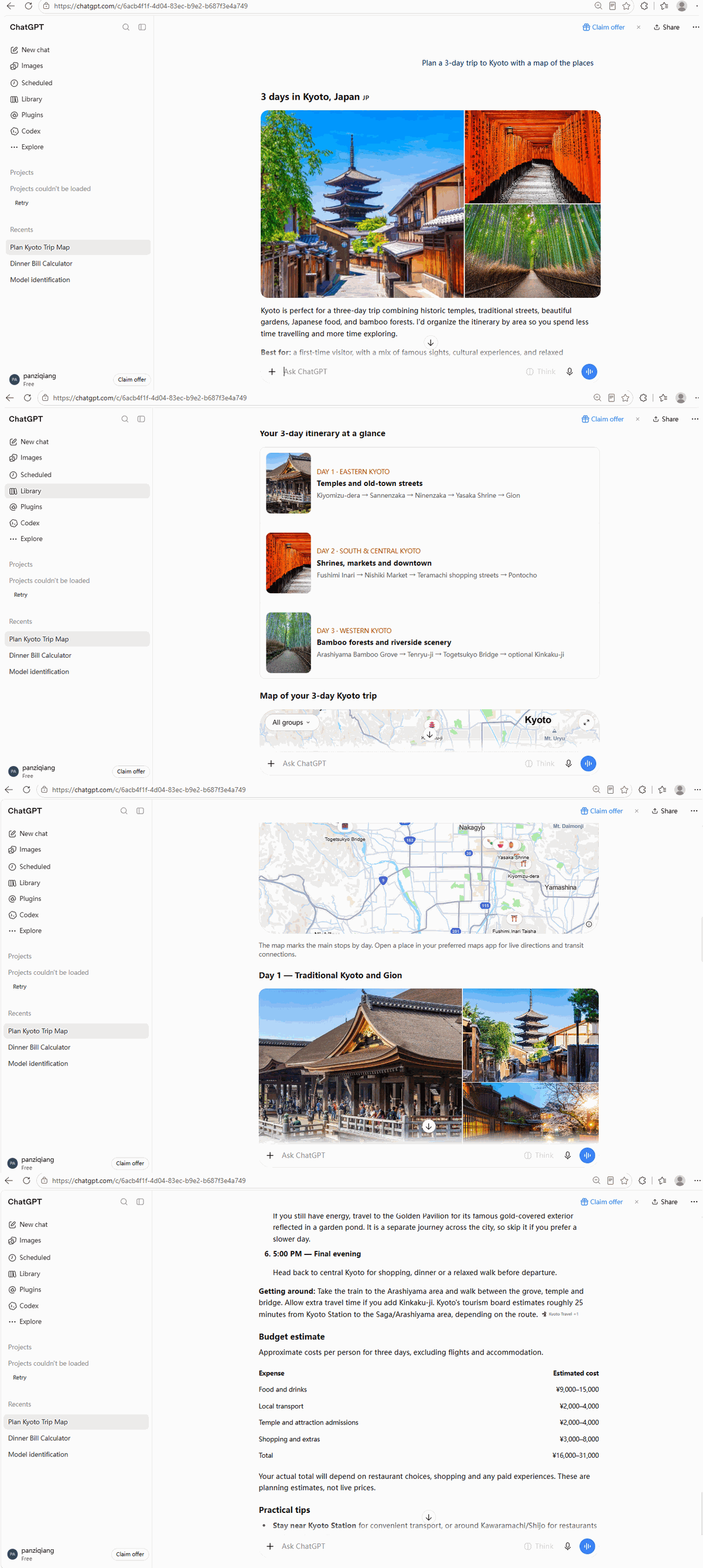
Before GPT-6, this kind of answer would have been a wall of text you'd copy into a spreadsheet. Now the structure is already there. This was the moment we stopped doubting the feature.
Test 4: The compound-interest chart — numbers you can actually read
Test 5: The laptop form — it asks, you answer, it delivers
Instead of dumping ten laptop suggestions, ChatGPT built a five-question form with radio buttons (budget currency, what you shoot, your editing software, new vs refurbished, top priority) and a big black "Find my best laptop" button:
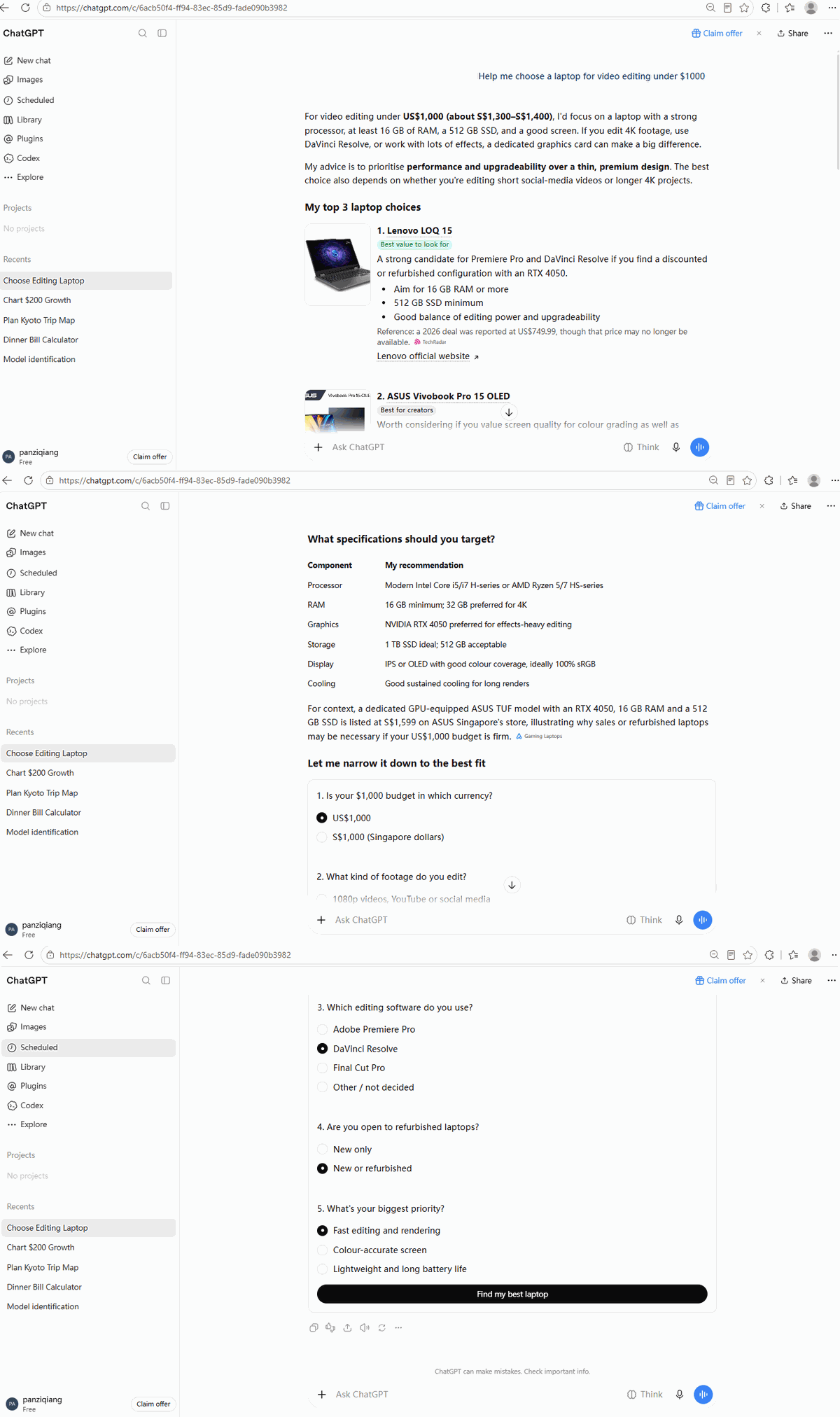
And the form didn't just look pretty. Submitting it produced a full personalized recommendation: an RTX 4050 vs 4060 comparison table, four specific laptop cards with price ranges, buying principles, and a final pick (a refurbished ASUS TUF A15 or Acer Nitro 16, since we told it we were open to refurbished). The chain question → form → submit → tailored answer worked end to end.
Test 6: The control — it knows when NOT to build UI
The biggest risk of a feature like this is that every answer becomes a jumpy carnival of widgets. So we asked the most boring question we could think of:
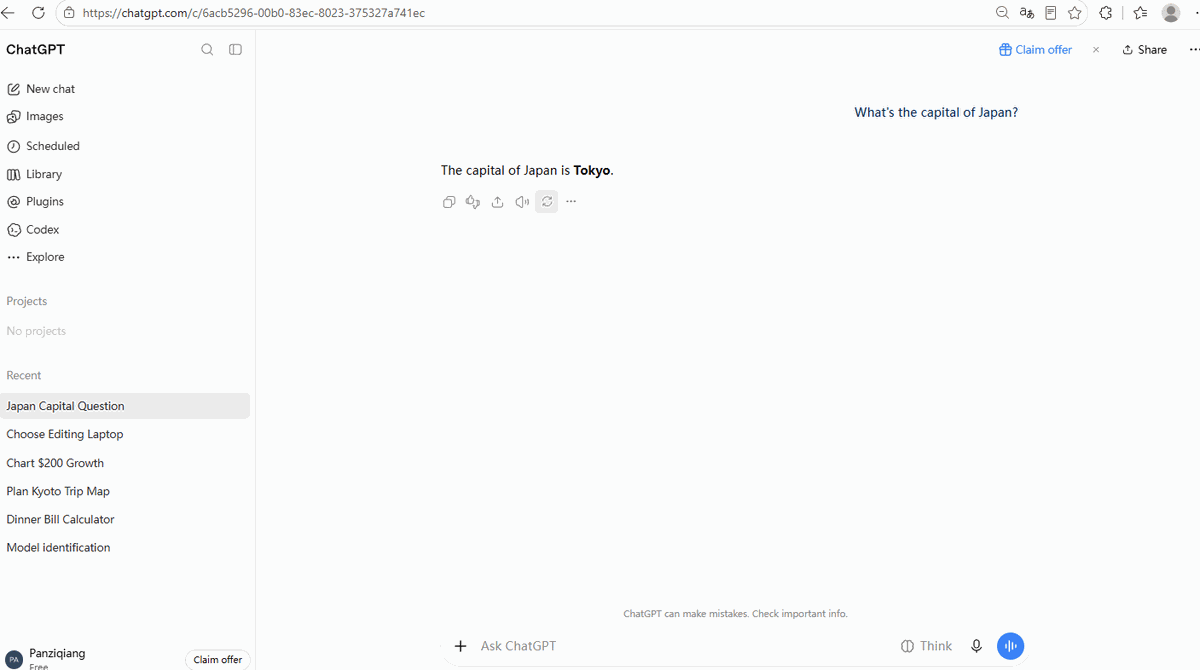
That's the right call. ChatGPT appears to reserve Intelligent UI for questions where an interface genuinely helps, and answers simple factual questions the old-fashioned way.
What about the free plan's limits?
Three things free users should know.
You still get Think (reasoning). The Think toggle next to the input box works on the free plan:

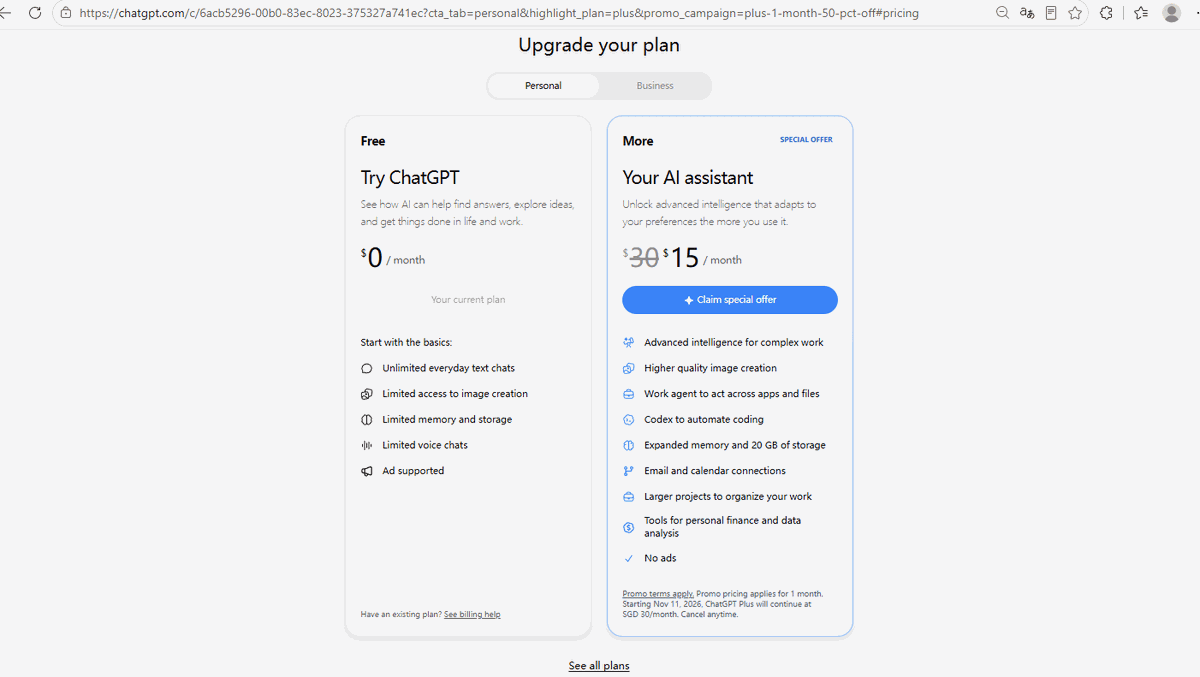
Free ChatGPT is now ad-supported. On the upgrade page, the Free plan's feature list explicitly includes "Ad supported" — worth knowing before you build a daily habit on it.
The strongest reasoning costs $15/month (right now). The upgrade page currently prices the paid "More" plan at $15/month, half of the crossed-out $30 — billed in our case in Singapore dollars, and reverting to the full price after the first month:
One thing we can't tell you yet: where the free usage ceiling is. After dozens of prompts in one afternoon we never hit a rate limit, so we won't invent a number — if a limit appears in heavier use, it will be on the "advanced intelligence" features first, per OpenAI's notes.
The verdict: should a free user care?
Yes — this is the most meaningful free-tier upgrade ChatGPT has had in years, and it's not about the model being "smarter." It's about answers you can use: a calculator you can type into, a map you can zoom, a form that remembers your choices. Our honest scorecard: 4 out of 5 UI-worthy prompts delivered a real interface; the official demo's bicycle diagram didn't survive contact with a real free account.
Practical advice for beginners: don't learn ChatGPT from old tutorials that show only text answers. Ask things like "build me a calculator for X" or "show me Y as a chart" — if the answer can be a tool, GPT-6 will often just build it, free plan or not.