Canva Free vs Pro — one-page cheat sheet
Everything we learned from building 18 projects on a free Canva account, compressed into one printable page: the 18 Pro-only walls, 12 exports weighed on disk, the real price table, and how crowded each template shelf is with paid items. No opinions, no marketing copy — just what our screens showed, dated October 2026.
Free download · PNG, 1240 × 1754 (A4 at 150 dpi) · Updated
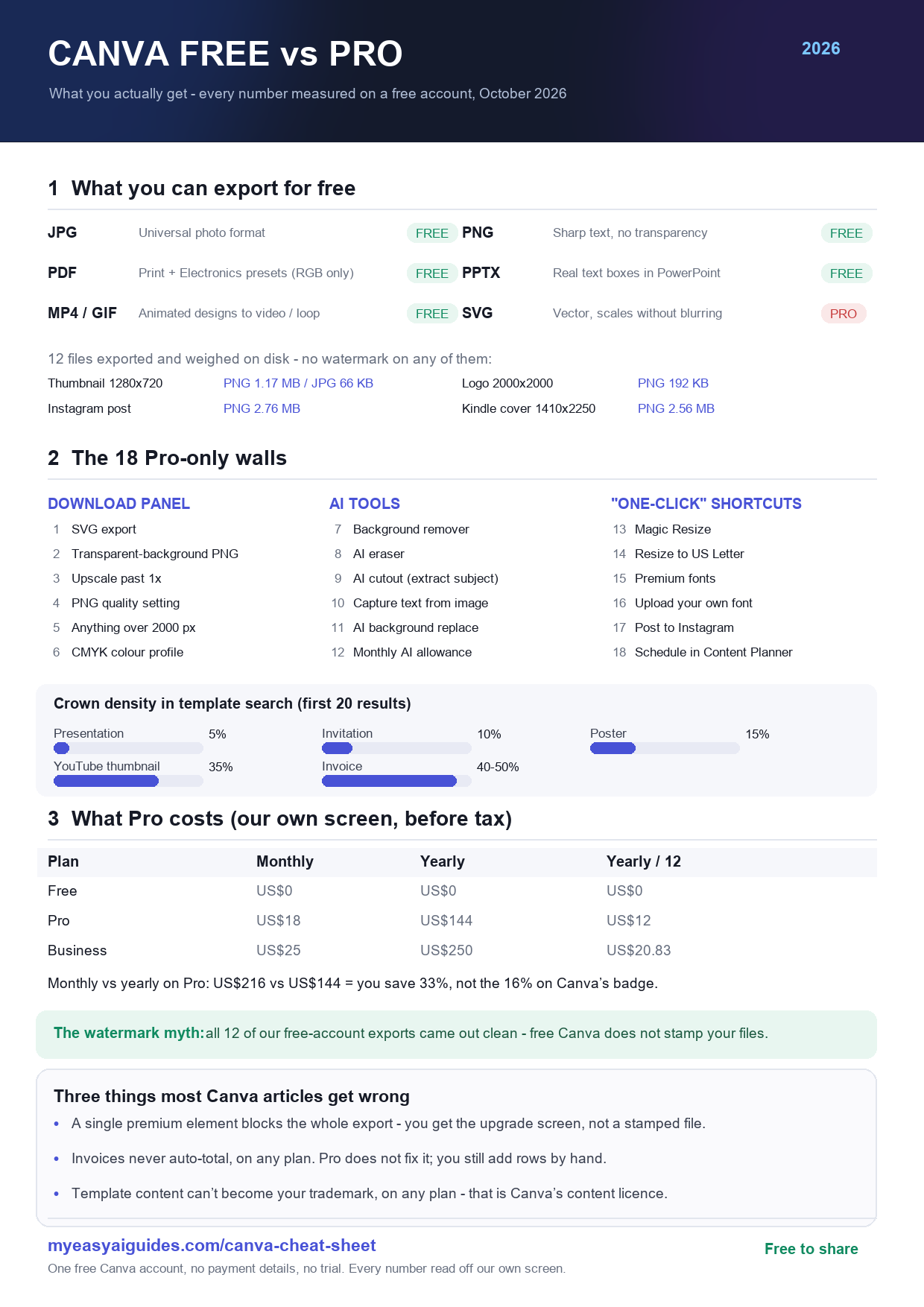
What's on the page
- The 18 Pro-only walls, grouped into the download panel, the AI tools, and the "one-click" shortcuts — each one clicked and photographed on a free account.
- What you can export for free: JPG, PNG, PDF, PPTX, MP4 and GIF are free; SVG is Pro. Twelve real files weighed, from a 12.3 KB PNG to a 28 MB PDF.
- Prices from our own screen: Pro US$18/month or US$144/year (US$12 a month — a 33% saving, not the 16% on Canva's badge), Business US$25/month.
- Crown density: how many of the first 20 template results in each category are paid — presentations are the cleanest shelf (5%), invoices the most crowded (40–50%).
Where the numbers come from
Every figure on the sheet is pulled from a page on this site, each with its own screenshots and method notes: the free-plan limits data page (18 walls, 12 exports), the Pro price walkthrough, the free vs Pro comparison, and our testing method. One free account, no payment details entered, no trial started.
Use it in your own article
If you write about Canva, you're welcome to embed the sheet. Copy this snippet — the image loads from our server, so you always get the latest version:
Prefer to host it yourself? Download the PNG and link back to this page as the source.