Canva Invoice Template on a Free Account: The "Table" Isn't a Table, Totals Don't Add Themselves Up, and Real Print Prices
Every "Canva invoice template" tutorial shows the same story: pick a pretty template, type your numbers, send it to the client. None of them tell you what we found when we actually built one on a free account: the item "table" is not a table at all, the total doesn't calculate itself, roughly half the gallery is Pro, and our template titled "A4" exported as US Letter. We did the whole flow — counted the crowns, swapped the currency, tried to add a row, exported the print PDF, dissected the file, and pulled the printing prices. Every claim below has a screenshot behind it.
Short answer: A Canva invoice template on the free plan works fine as a document — we changed amounts, billing details and dates, and downloaded a print-ready PDF (46 KB) without paying a cent. But it works badly as a billing tool: the line-item "table" turned out to be independent text boxes with no add-row function (our duplicated row landed right on top of an existing one), and the Total Amount is a plain text box that never updates itself. CMYK color export is Pro-only, same wall we hit in our Canva brochure test. And if you want Canva to print your invoices, they file them under "Letterheads" — 50 sheets for $50 with free delivery.
How we ran the test
- Free account only — no Pro trial, no payment details, crown templates browsed but never edited
- One invoice, start to finish — search, crown count, template pick, amount and billing edits, a deliberate attempt to add and delete a table row, PDF export, print pricing
- The exported PDF got dissected — we inspected its internals to verify what really happens to text, fonts, and page size
- Prices recorded from our account — shown in US dollars; your region may display a different currency
How many invoice templates are actually free? Fewer than brochures — and the number wobbles
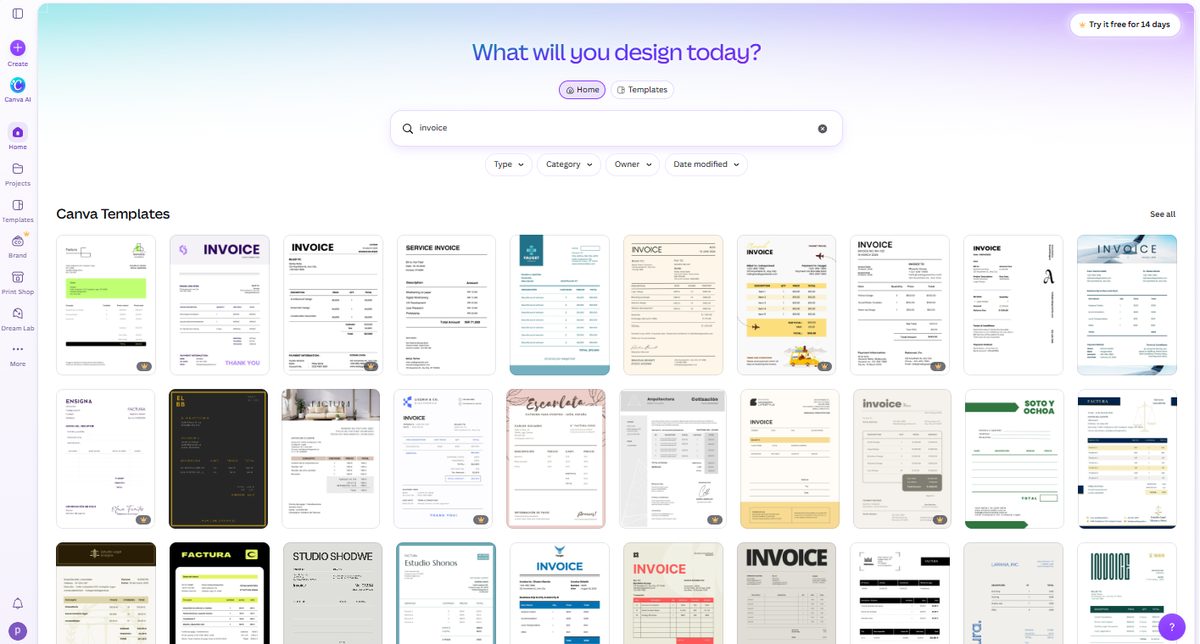
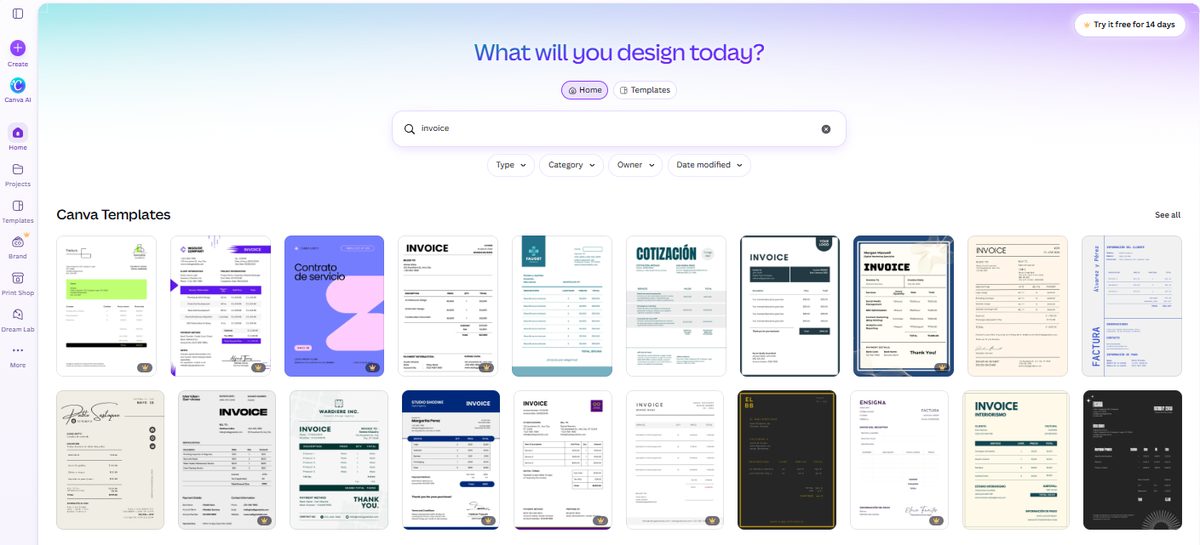
We searched "invoice" and counted the first 20 templates. 8 of 20 carried the Pro crown — 40%. That's already much denser than the brochure gallery we counted the day before (3 of 20), which makes sense: invoices are business templates, and business templates are where Canva's paywall lives.
Then something we didn't expect: we refreshed and searched again minutes later, and the count came back 10 of 20. Same word, same account, minutes apart. Canva's search results are not a static list — the mix shifts between searches. So don't trust any fixed "X% of Canva templates are free" figure, including a single snapshot of ours. The honest range from our two counts: 40–50% of the first 20 invoice templates are Pro, and the free ones cluster toward the top of the results.
Building the invoice: the currency swap you didn't plan for
We picked a clean, crown-free template — "Black and White Simple Web Developer Service Invoice" — and hit the first surprise before editing anything: every amount was in Indian rupees. INR 10,000 here, INR 20,000 there, Total INR 71,000. Canva's template library is global, and nothing warns you that the invoice you're about to send a client quotes prices in someone else's currency. If your search lands on a template like this, plan to retype every amount and the currency marker by hand.
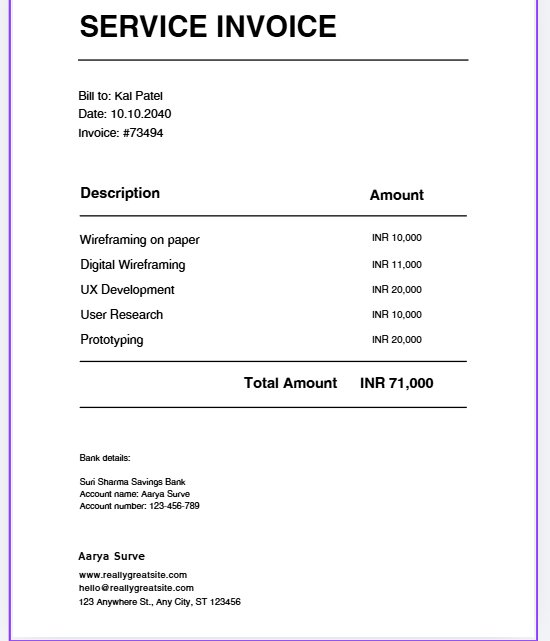
The edits themselves were smooth — this is where invoice templates beat expectations:
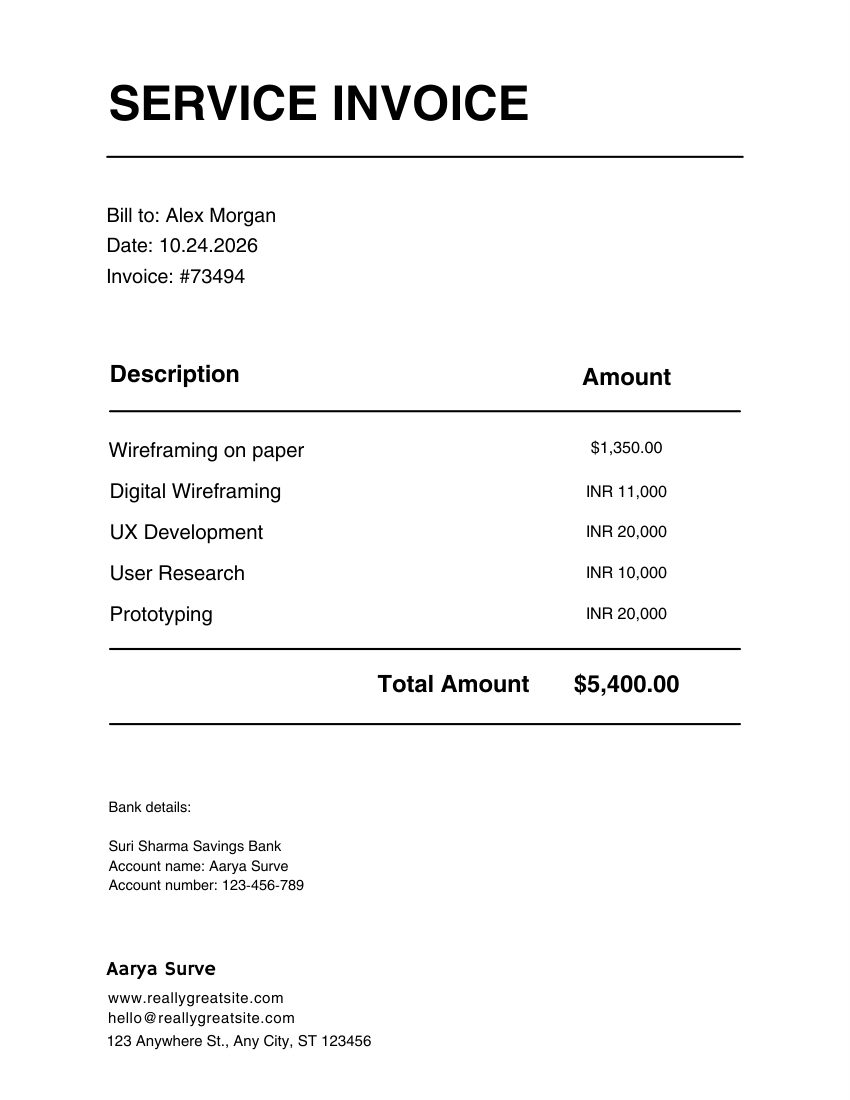
- Amounts — double-click, type over: the first line became $1,350.00 and the column's right alignment held perfectly even though the text length changed
- Total — changed to $5,400.00, same story
- Billing details — "Bill to:" name and the date line retyped without a fight
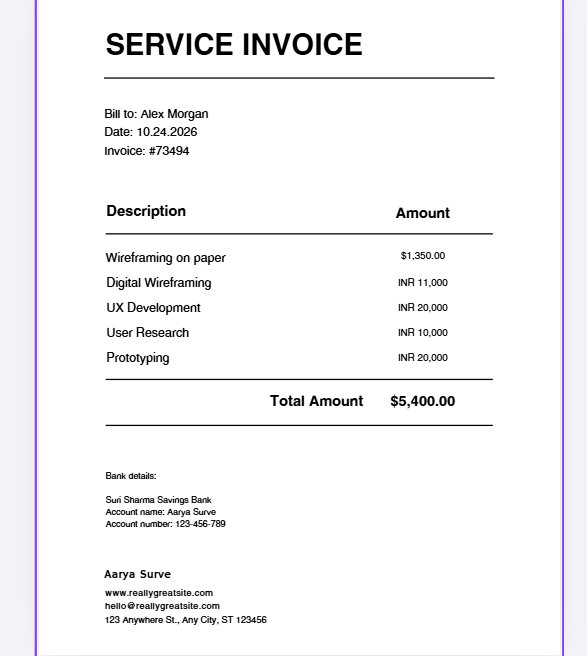
One thing to notice in that list, though, because it matters more than any font choice: we changed the Total by hand. Not because we wanted to — because nothing updated it for us. More on that below.
The "table" isn't a table: what adding a row actually takes
Here's the part no comparison table mentions, and it's the difference between a document and a tool. We tried to do the most normal invoice thing in the world: add one line item.
There is no "insert row." There is no "duplicate row." We selected a line and got a standard text box toolbar — font, bold, alignment, position — the same tools you'd get clicking any headline on any poster. Because that's all a row is: an independent text box for the description and another independent text box for the amount, with a horizontal line element underneath. The "table" is a drawing of a table.
So to add "Consulting — $800.00", we had to copy the description box, copy the amount box, and drag each into place. The result, on our first attempt: the duplicated text landed directly on top of the existing "UX Development" row, and we had to manually reposition it pixel by pixel.
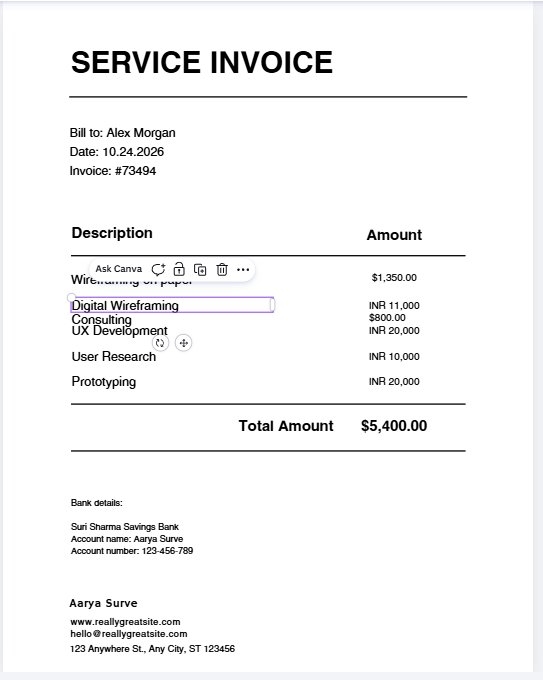
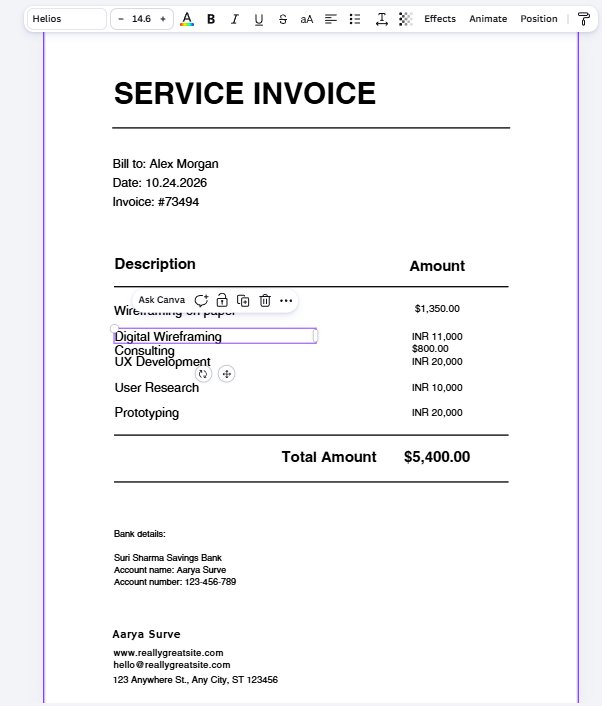
What this means in practice: Canva invoice templates are fine for a 3-to-5-line invoice you'll fill in once. They are painful for a running billing document where you add rows every week — every row is a two-box copy-and-align job, and one misaligned drag shows. If your invoices regularly run long item lists, a real invoicing tool (or even a spreadsheet) will spare you the hand-alignment.
Totals don't calculate themselves
This follows from the fake table, but it deserves its own headline because it's the mistake that reaches clients. The Total Amount is a plain text box. We changed the first line item's amount, and the total just sat there. There is no formula, no auto-sum, no warning that your total no longer matches your items.
Send that file to a client and the discrepancy is the first thing they'll see. Our rule after this test: after any edit to a Canva invoice, re-check the total against the items before you export — there's no safety net.
Exporting: the print PDF is free — with one familiar wall and one size surprise
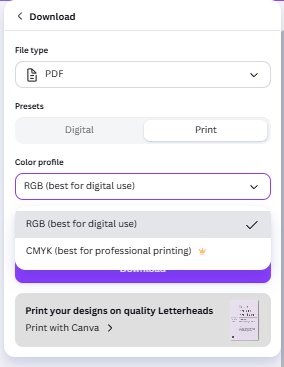
The download panel offered the PDF type with a Print preset, and it went through on the free plan with no payment prompt: a one-page print PDF, 46.3 KB. In the color profile dropdown, RGB is free and CMYK wears the crown — exactly the boundary we documented in the brochure test, confirmed a second time on a different document type.
The template said A4. The file says US Letter.
Our template's title literally contained "A4". We measured the exported PDF anyway: 612 × 800 points — that's 8.5 × 11 inch US Letter, not A4 (595 × 842 points). The print panel had already given the game away by listing the page as 8.5 × 11 in while the title said A4.
Practical takeaway: don't trust template titles for page size. If you're outside the US and your office printer or print shop expects A4, check the actual dimensions in the download panel before you commit — the file you get may not be the size the name promised.
What's inside that PDF — we took it apart
Same dissection, same result as the brochure: the PDF contains no font files at all. Every visible letter is drawn as vector outlines, with a hidden text layer underneath that our extraction pulled out cleanly — "Bill to: Alex Morgan", "$1,350.00", all of it, intact. Consequences:
- Fonts cannot shift at a print shop or on a client's computer — there are no fonts to substitute
- The text isn't editable in the PDF — to change an amount, go back to Canva
- Machines can read it — the hidden text layer survived, which is the same mechanism our Canva resume ATS test relied on
What printing actually costs: invoices are "Letterheads" in Canva's print shop
If you want Canva to print your invoices, don't look for an "invoice" category — Canva files them under Letterheads. The print panel beside the template preview offered two paper types: Standard (118–148 gsm, default) and Premium (148–216 gsm), and defaulted to 50 Letterheads for $50 — $1 per sheet — with free delivery shown at checkout.
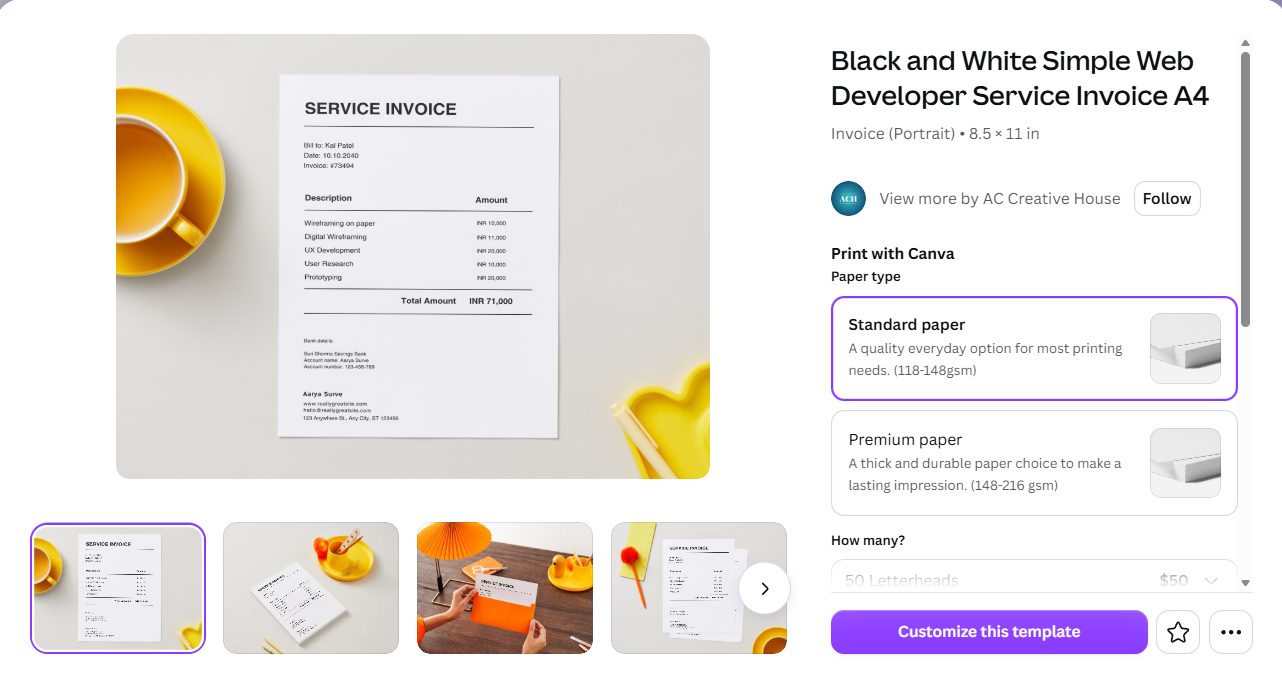
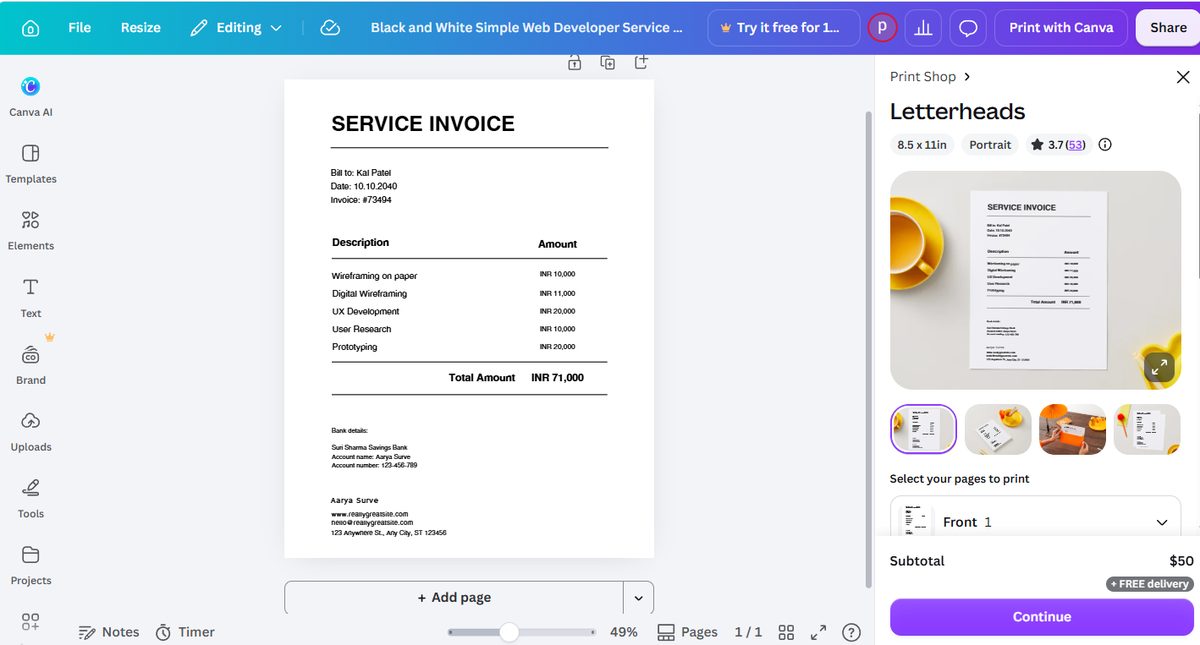
For context, that $1 per sheet sits close to the tri-fold brochure's per-copy price at the same quantity ($1.12) in our brochure test — and far above what blank invoice paper costs. Printed Canva invoices make sense as branded presentation pieces for premium clients; for everyday billing volume, the free PDF and your own printer win on cost.
Free vs Pro: where the invoice walls actually are
| Step | Free plan | Pro only |
|---|---|---|
| Browsing invoice templates | ✅ Free ones exist (8–10 of first 20 were Pro in our two counts) | Crowned templates |
| Editing amounts, names, dates | ✅ Fully free, alignment held | — |
| Adding a line item | ✅ Possible — but copy text boxes and align by hand | — |
| Auto-calculating totals | ❌ Not a feature on either plan | — |
| PDF Print export | ✅ Free (RGB, vector text) | — |
| CMYK color output | — | 👑 Pro only |
| Canva printing (as "Letterheads") | ✅ Pay per order, $50 / 50 sheets, free delivery | — |
Which route should you take?
| If you… | Do this | Why |
|---|---|---|
| Send a few simple invoices per month | Free template + hand-typed amounts + free PDF Print (RGB) | Everything we tested works free; check the total by eye before exporting |
| Run long item lists or invoice weekly | Use a real invoicing or spreadsheet tool; keep Canva for the branded PDF cover letter | Row-by-row text-box alignment and manual totals don't scale |
| Want premium printed invoices for clients | Print with Canva (Letterheads), 50 for $50 with free delivery | Standard or Premium paper; but $1/sheet is presentation-tier pricing |
| Need CMYK for a professional print shop | Ask if they accept RGB, or that's where Pro starts | CMYK export is Pro-only — confirmed twice now |
| Are outside the US | Verify the page size in the download panel | Our "A4"-titled template exported as US Letter |
Frequently asked questions
Is Canva invoice template free?
Partly. In our October 2026 count on a free account, 8 of the first 20 invoice templates carried the Pro crown, and a search minutes later showed 10 of 20 — roughly 40 to 50 percent are paid, noticeably denser than the brochure gallery (3 of 20) we tested the day before. Free templates do exist and editing them is fully free; crowned templates, CMYK export, and some tools are Pro.
Can you add rows to a Canva invoice template?
Not the way you'd expect. The item "table" in the Canva invoice template we tested is not a table component — it is a stack of independent text boxes (one for descriptions, one for amounts) with separator lines. There is no insert-row or duplicate-row function. To add a line item you copy the description text box and the amount text box separately, then drag them into alignment by hand. In our test, the duplicated text box landed directly on top of an existing row and had to be repositioned manually.
Does a Canva invoice template calculate totals automatically?
No. The Total Amount field in the template we tested is a plain text box, not a formula. When we changed a line item's amount, the total did not update — we had to edit it by hand. Canva invoice templates are documents, not calculators; if line items change, you must re-add the numbers yourself.
Can I download a Canva invoice as a PDF for free?
Yes. On a free account we exported our one-page invoice with the PDF type and Print preset — the 46.3 KB file downloaded with no payment prompt. The color profile dropdown offers RGB free and CMYK (best for professional printing) behind the Pro crown, the same wall we found in our brochure test. The exported PDF draws all visible text as vector outlines with no font files inside, so fonts cannot shift at a print shop, and a hidden text layer lets machines read the content.
Does Canva print invoices, and how much does it cost?
Yes — Canva files invoices under the Letterheads print category, not "invoice". In our test (October 2026, US-dollar pricing), the panel defaulted to 50 Letterheads for $50 ($1 per sheet) with free delivery shown, and a choice of Standard paper (118-148 gsm, default) or Premium (148-216 gsm). Note the size: our template's title said A4, but the print panel and the exported PDF were both 8.5 x 11 inch US Letter.
Why is my Canva invoice US Letter when the template says A4?
Template titles and actual dimensions don't always match. Our template was literally titled "Invoice A4", yet the exported PDF measured 612 x 800 points — 8.5 x 11 inch US Letter, not A4 (which would be 595 x 842 points). Check the actual page size in the download panel before printing, especially outside the US, because the file you get may not be the size the title promised.
Wrapping up
A Canva invoice template on the free plan is a good-looking document and a mediocre billing tool — and now you know exactly where the line sits. The document half is genuinely free: pick a no-crown template, retype the currency if you have to, edit amounts with confidence (the alignment holds), and export a print-ready PDF at no cost. The tool half is where Canva stops pretending: the table is drawn, not built, and the total trusts your arithmetic. Check it before it reaches a client.
If you're weighing Canva for other business print jobs, our tri-fold brochure test found its own catch (the fold-order trap) and a much fuller price ladder, the Canva flyer test covers the single-sheet basics, and if you need this invoice in another size, our Canva resize test found the one-click button is Pro but the free workaround works. For what the crown buys overall, see what Canva Pro actually costs. Three tests, one rule: screenshots or it didn't happen.
This guide is one of our 18 free-account Canva tests — crown counts, measured exports, print prices and paywalls, all in one place.