Canva YouTube Thumbnails on a Free Account: What Passes YouTube's Rules, What Gets Crowned, and the Readability Test Nobody Runs
YouTube enforces two hard rules on thumbnails: 1280 × 720 pixels, and a file under 2 MB. Most articles about making thumbnails in Canva never mention either number, because most articles never measure anything. We built a real thumbnail on a free account, downloaded it, measured the file, dragged every slider, and then shrank the result to YouTube's actual on-screen sizes to see what a viewer can actually read. This is the seventh Canva category we've pulled apart — and the first one where the export has to survive an outside platform's rules, not just look nice.
Short answer: A free account produces a fully valid thumbnail — our exported PNG measured exactly 1280 × 720 px at 1.17 MB, comfortably under YouTube's 2 MB ceiling, and the JPG came out at 66 KB, eighteen times smaller. The template shelf is the densest we've measured apart from invoices: 7 of the first 20 "youtube thumbnail" results carried the Pro crown (35%), and that 35% held flat at every depth we counted — a bait-shelf pattern, not a shallow free tier. The crown that actually bites is upscaling: exporting a 2× version is where Pro is required. Readability is the real test — at YouTube's 360 × 202 search size a four-word title stayed crisp, but at the 168 × 94 sidebar size the template's small secondary text was completely unreadable. Every claim below has a screenshot behind it.
How we ran the test
Free Canva account, browser only, no trial, no card. We searched "youtube thumbnail", counted Pro crowns at three depths, edited a free template with our own text, exported PNG and JPG, measured both files programmatically, and rendered the result at 360 × 202 (YouTube search results) and 168 × 94 (sidebar suggestions) to test readability at real viewing sizes.
Step 1: Crown density — the first "even spread" we've measured
Seven of the first 20 results carried the Pro crown — 35%, the second-densest first page of any category we've tested (only invoices, at 8–10/20, were heavier). Brochures and posters opened at 3/20, Instagram posts at 4/20, invitations at just 2/20.
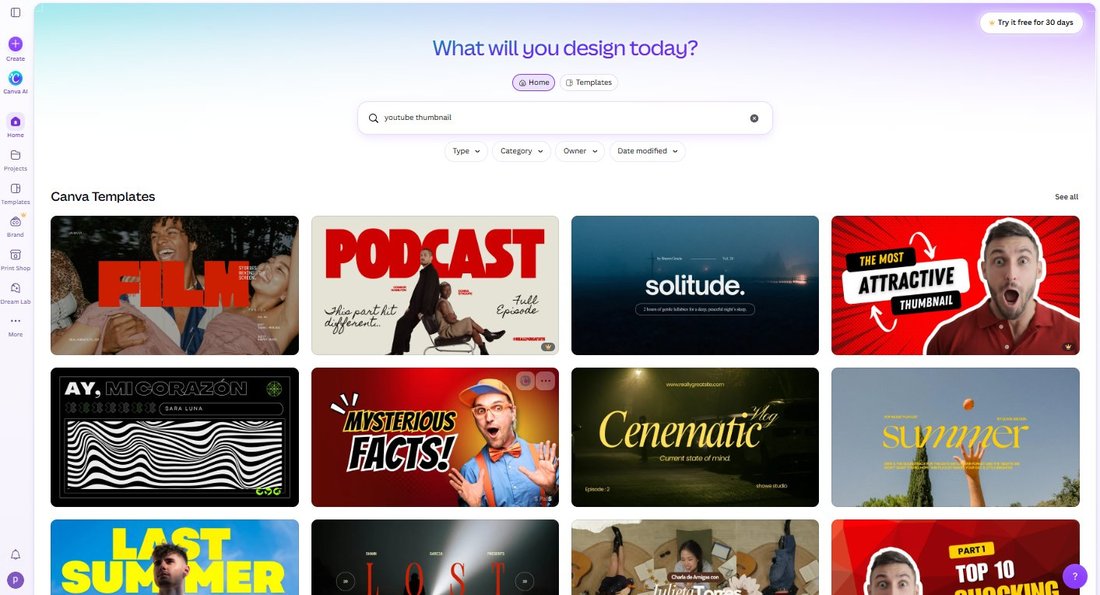
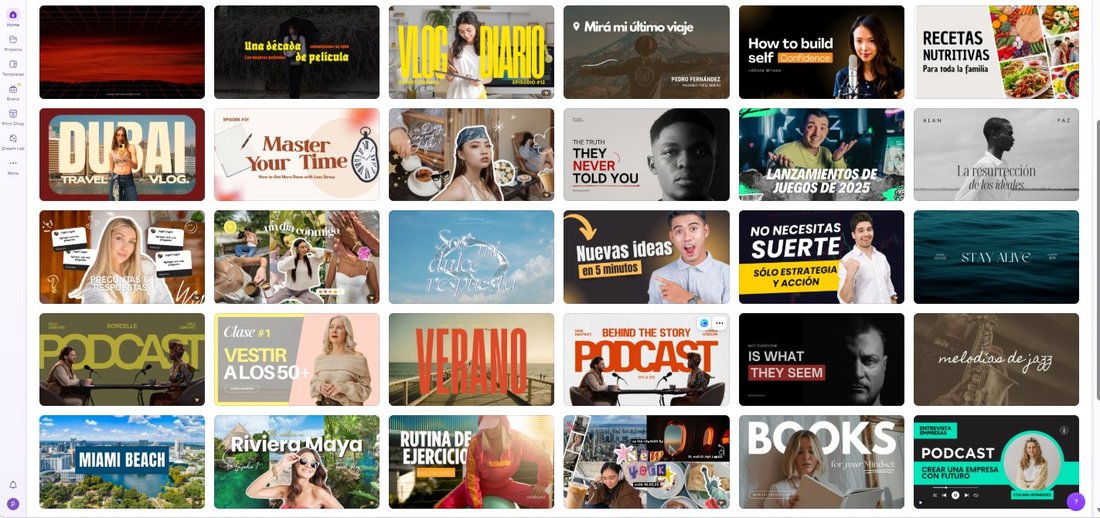
Then came the surprise. With invitations we measured a "bait" pattern: a nearly clean first screen that jumps to 60% Pro from result 21. Thumbnails don't do that. Results 21–40 carried another 7 crowns — the same 35%, held steady. Canva appears to run two shelving strategies: a bait shelf for occasional users (invitations, greeting cards) and an even spread where the audience converts constantly. People who make YouTube thumbnails make them every week, and the shelf treats them accordingly.
Step 2: Editing is free — and the font wall is global
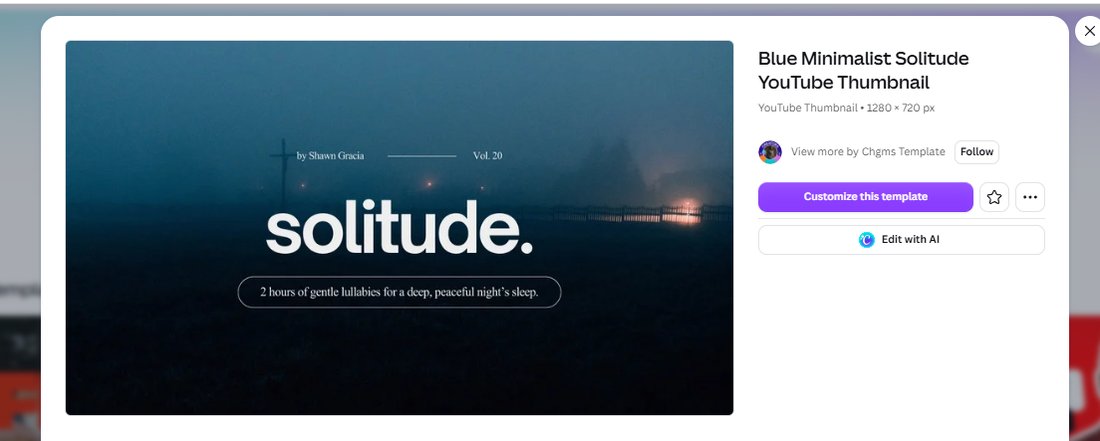
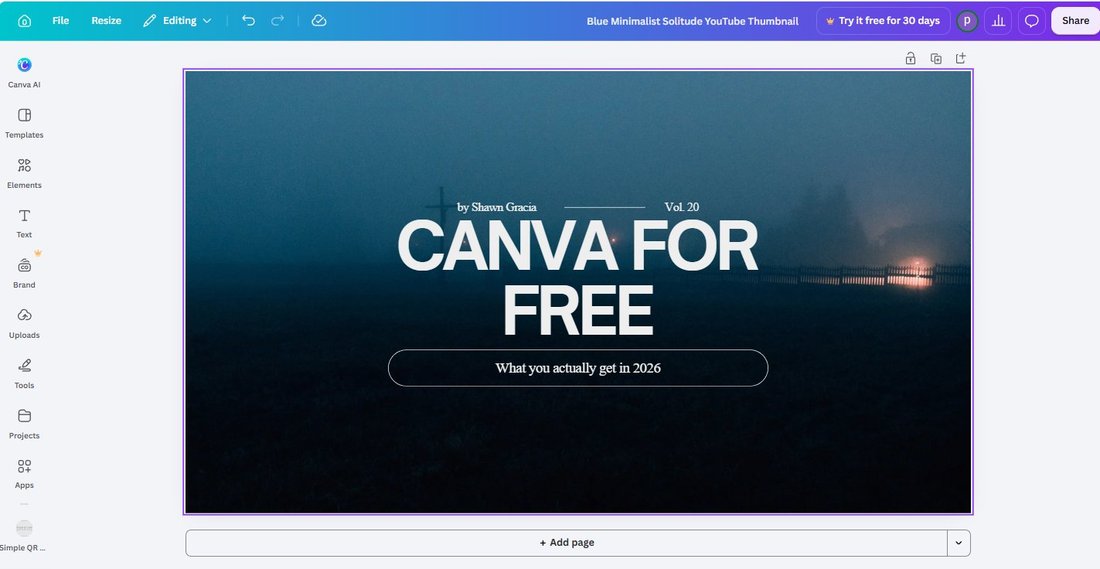
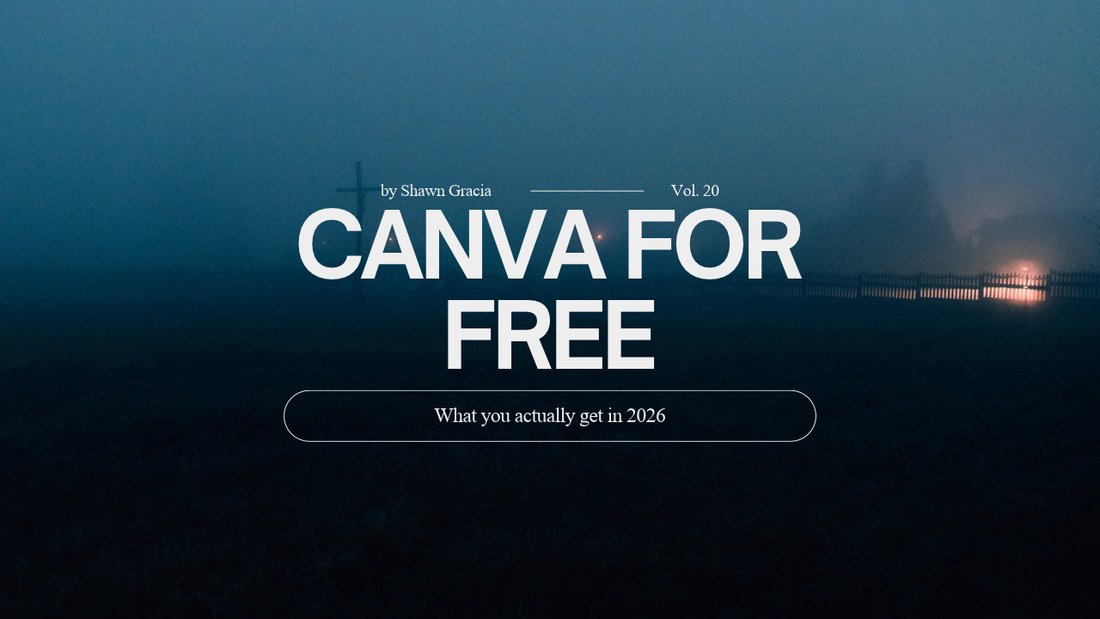
We picked a free minimalist template ("Blue Minimalist Solitude") and replaced the title with "CANVA FOR FREE" plus a subtitle. Every edit went through without a single paywall prompt. The template page itself displays the spec — "YouTube Thumbnail • 1280 × 720 px" — which gave us the label to verify against the exported file later.
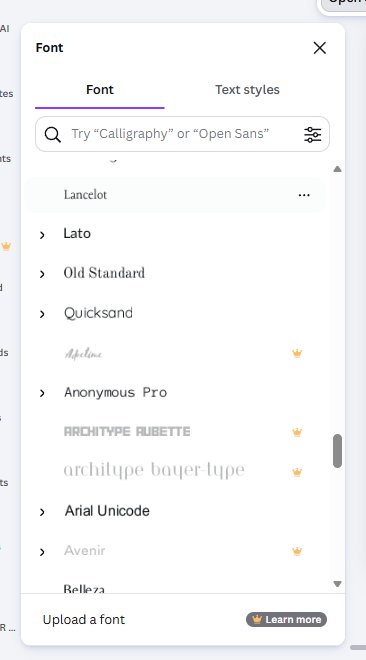
The font list was a different story. Scrolling it, Aprilime, Archetype Aubette and Avenir all wore the crown — the exact same locked fonts we caught in the invitation test. Canva's font paywall is not per-category; it's one global wall, and the "beautiful" end of the list is behind it everywhere. Even "Upload a font" is a Pro feature.
Step 3: The export — three crowns in one panel, and one honest number
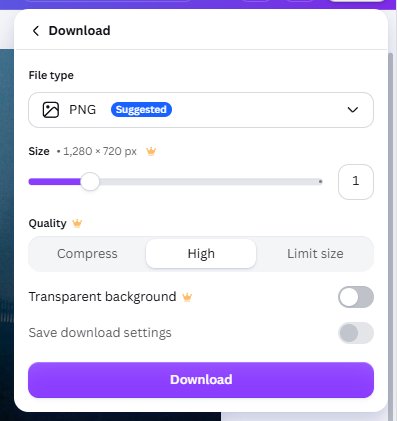
The PNG download panel is where free Canva shows its teeth. Three separate controls wear the crown at once: the Size slider (free = 1× only; dragging toward 2× triggers an upgrade wall), the Quality setting, and Transparent background. One panel, three locks.
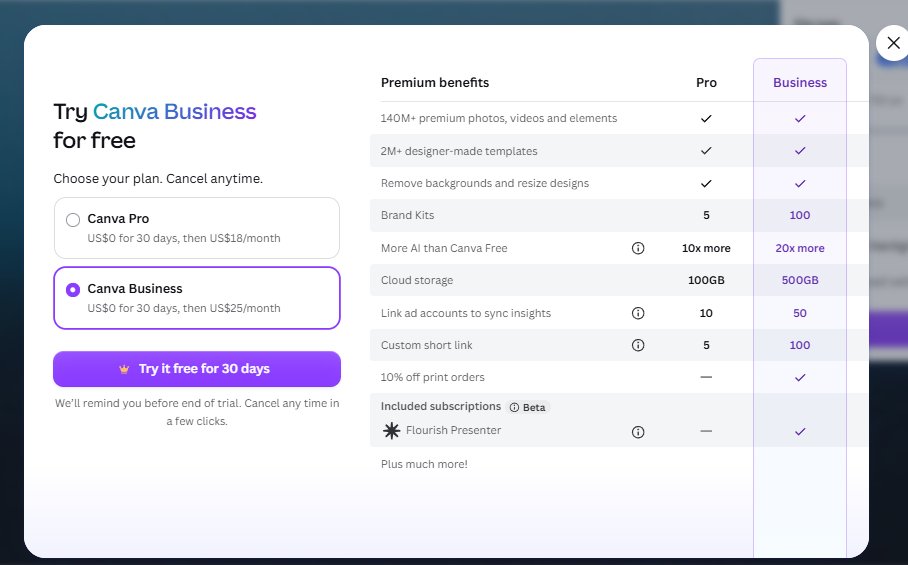
We dragged the size slider anyway. Canva responded with the full Pro/Business comparison table — Pro at US$18/month after a 30-day trial, Business at US$25/month. Worth noting for anyone comparing plans: the paid benefits list includes "Remove backgrounds and resize designs," which matches what we documented in our Canva Resize test.
And the honest number: the free 1× PNG exported at exactly 1280 × 720 pixels — matching the template's label to the pixel — and weighed 1.17 MB. That matters, because YouTube rejects thumbnails over 2 MB. Canva's free default sails under the limit. The JPG export, same design, same 1280 × 720, weighed 66 KB — eighteen times smaller. If you're bulk-uploading, JPG is the format YouTube will never complain about.
Step 4: The readability test nobody runs
Here's the part that no "how to make a YouTube thumbnail" article shows you. We took the exported PNG and rendered it at the sizes YouTube actually displays: 360 × 202 in search results, and 168 × 94 in the sidebar suggestion rail.
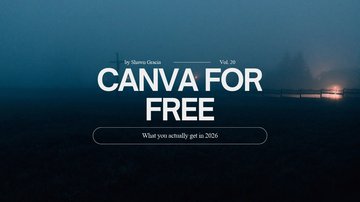
The result: big text passes, small text dies. The four-word title stayed legible at every size. The elegant little subtitle inside the template's outline pill — the part that looks refined at full size — was completely unreadable at sidebar size and barely a smudge in search results. This is why professional YouTubers use three or four giant words and nothing else, and now you've seen the proof rather than the advice. If your thumbnail only works at full size, it doesn't work.
Step 5: The YouTube button exists — for videos, not thumbnails
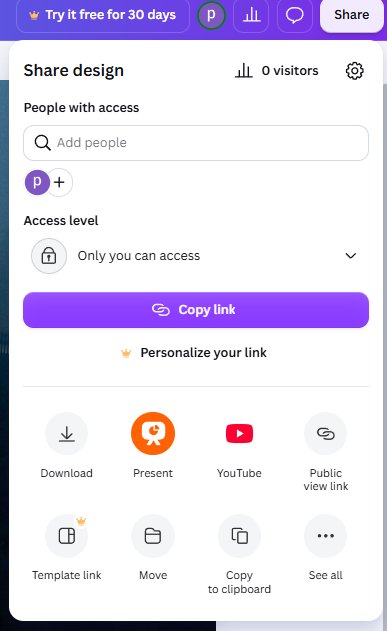
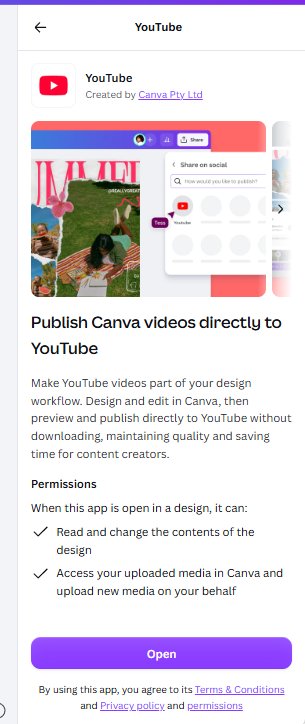
Canva's share menu does have a YouTube icon on the first screen, and the integration is an official, free Canva app ("Created by Canva Pty Ltd"). But read the description before you get excited: "Publish Canva videos directly to YouTube." It accepts video designs only. A static thumbnail — the thing this article is about — can't go through it. For thumbnails, the workflow is the old-fashioned one: download, then upload on YouTube yourself.
What this means for your channel
Put the numbers together and the free-account verdict is unusually clean for once:
You can genuinely make a compliant YouTube thumbnail on Canva Free. The template is free, the edit is free, the export is exactly 1280 × 720, and the PNG lands under YouTube's 2 MB ceiling with room to spare. The crowned stuff — upscaling beyond 1×, quality control, transparency — is nice to have, not required. The one non-negotiable that money can't buy in Canva: design for the sidebar. Big words, high contrast, nothing delicate.
One caveat from our own bench: transparency and background removal are Pro, so if your thumbnail concept needs a cut-out subject on a transparent layer, see our background remover test for what free accounts can do instead. And if you're weighing whether Pro is worth it for a hobby channel, our Canva Pro cost breakdown has the full math.
Frequently asked questions
Can you make YouTube thumbnails on Canva for free?
Yes, fully. In our October 2026 test, a free template was editable with zero paywall prompts, and the PNG export came out at exactly 1280 × 720 pixels weighing 1.17 MB — under YouTube's 2 MB limit. About 35% of the "youtube thumbnail" search results are Pro templates, but plenty of free ones are not just usable, they're good. The Pro locks (upscaling, quality settings, transparency) are conveniences, not requirements.
What size is a Canva YouTube thumbnail, really?
The template is labeled "YouTube Thumbnail • 1280 × 720 px," and our exported PNG measured exactly 1280 × 720 — label and reality matched to the pixel. This is Canva's digital-template sizing behaving correctly, unlike our invoice test, where an "A4" template exported as US Letter. When it matters, measure the file; here, it matched.
Will my Canva thumbnail pass YouTube's 2 MB limit?
Our full-quality PNG did: 1.17 MB. The same design as a JPG weighed 66 KB — eighteen times smaller. YouTube's ceiling is 2 MB, and Canva's free 1× export stays well under it for a design like this. Image-heavy designs with photos will run larger, so if a PNG ever bumps the ceiling, switch to JPG — at thumbnail display sizes the difference is invisible.
Why does my thumbnail text look unreadable on YouTube?
Because thumbnails are displayed far smaller than they're made. We rendered our export at 360 × 202 (search results) and 168 × 94 (sidebar): a four-word title stayed crisp at both, while the template's small subtitle became an unreadable smudge. Design at the sidebar size in your head — two to five huge words, strong contrast, no fine detail. If it only reads at full size, it doesn't read.
Can you publish a thumbnail to YouTube directly from Canva?
No — not thumbnails. Canva's share menu includes a free, official YouTube app, but it publishes video designs only ("Publish Canva videos directly to YouTube"). Static thumbnails have to be downloaded and uploaded through YouTube Studio the normal way. Also worth knowing: resizing designs for other formats is a Pro feature, as our Resize test showed, though the free Custom Size workaround exists.
Wrapping up
Seven Canva categories pulled apart on a free account, and each one surrendered something the template gallery doesn't show: the brochure fold-order trap, the invoice "table" that isn't a table, the locked Instagram publishing buttons, the VistaPrint plot twist, the invitation font wall and print ladder — and now a thumbnail export that does exactly what YouTube demands, plus the readability proof that explains every professional thumbnail you've ever clicked. The free shelf here isn't bait; it's a real workflow. Just design for 168 pixels wide, because that's where your video lives or dies.
This guide is one of our 18 free-account Canva tests — crown counts, measured exports, print prices and paywalls, all in one place.